 Cortex
Review before apply
An agent proposes an edit as a diff over your open file, shows what it changed, and respects unsaved text.
Two things go wrong when an agent edits a file you are also editing: it can overwrite text you have not saved, and you may not see what it changed. Cortex's tools handle both.
Review a proposed edit
When an agent wants to change a file, it can propose the new text instead of writing it. Cortex shows the proposal as a diff, over the file as you have it open right now, with your unsaved edits included. It lists what is removed and what is added.
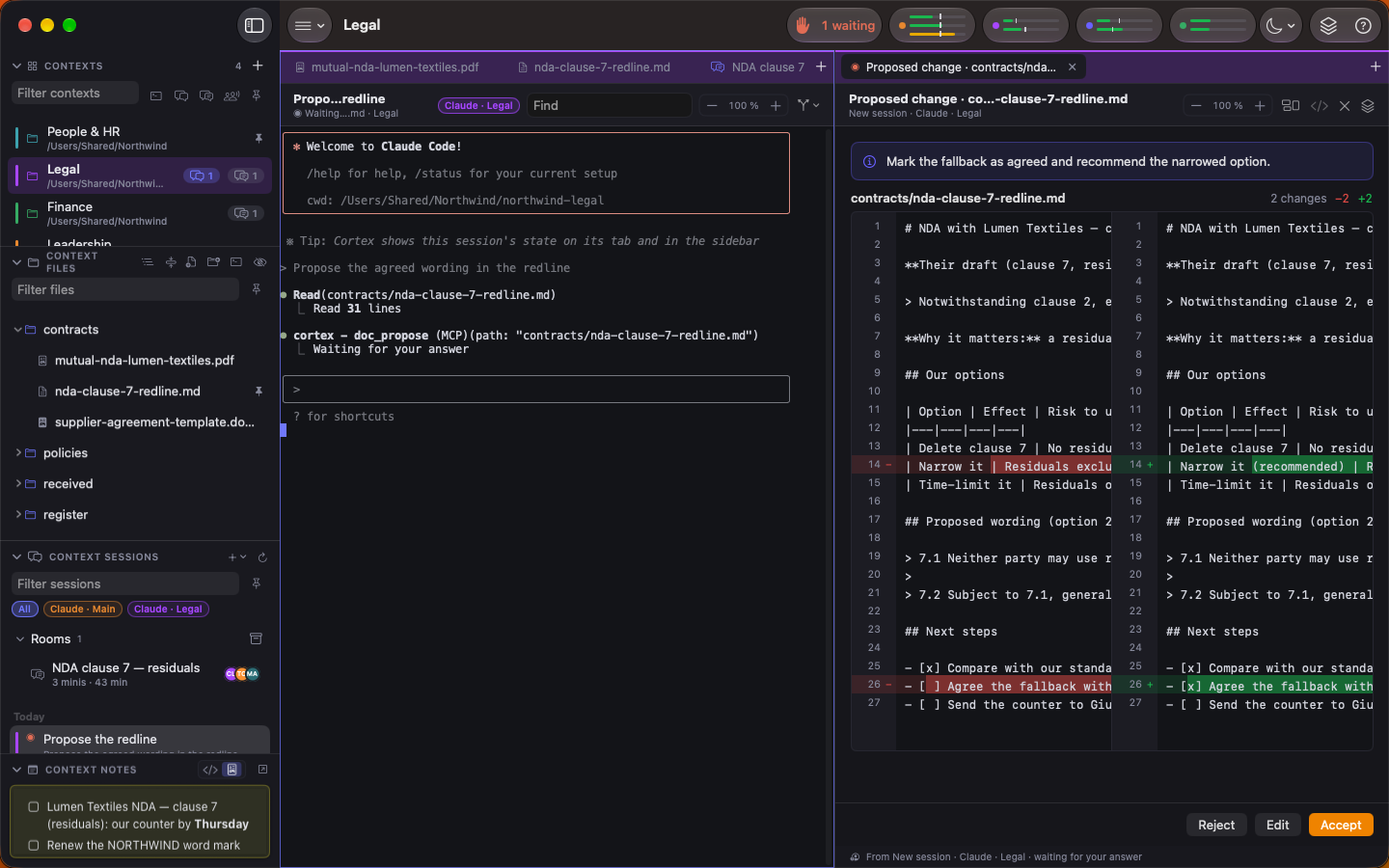
You choose:
- Accept writes the change through the open document and saves it. Your unsaved text is never lost, because the change is applied to what you have.
- Edit opens the file with the proposal applied but not saved, so you can adjust it first. It is offered only for files Cortex edits as text.
- Reject drops the proposal. The agent is told which you chose.
The question is Cortex's own, not the agent's, so the agent cannot change what you are shown. Accept does not take Return. You must click it, so a keypress meant for something else never accepts a change.
If the file changed while the proposal waited, because you typed or something wrote to the disk, Accept and Edit write nothing, and the agent is told the proposal went stale. The diff you answered was no longer the file. A proposal that waits too long is withdrawn, so no Accept is left that nobody waits for.
Unsaved edits are protected
When an agent reaches for its own edit or write tool on a file you have open with unsaved changes, Cortex stops it and tells it to propose the change instead. The agent then proposes, and you review. This is on by default with Steer edits of unsaved files to a proposal in Settings → MCP.
Before an agent runs tests, it can also ask Cortex to save what you typed, so the tests see it. Cortex asks you each time and names the files.
See what an agent changed
At the end of a change, an agent can lay out a review for you: the changed files open beside its session at the first changed line, each file's diff against the last commit, and the spec section it followed on the Stack. These tabs open beside the session without taking the window from you, and without changing the tab you are typing in.
You can also ask an agent to explain or fix a passage you selected. It can read what you selected in a Markdown or text tab, and in which file and lines, so you need not paste it.
The tools behind this, doc_propose, diff_show and the rest, are in Tools reference: your window, files and terminals.
Something wrong or missing? Tell us