 Cortex
Manage who talks to your mini
On this page
Requests, fingerprints, daily caps, read every conversation, pause, stop, delete.
Once a mini is listed, it shows up in the Shares view under what you sent, followed by its visitors and conversations.
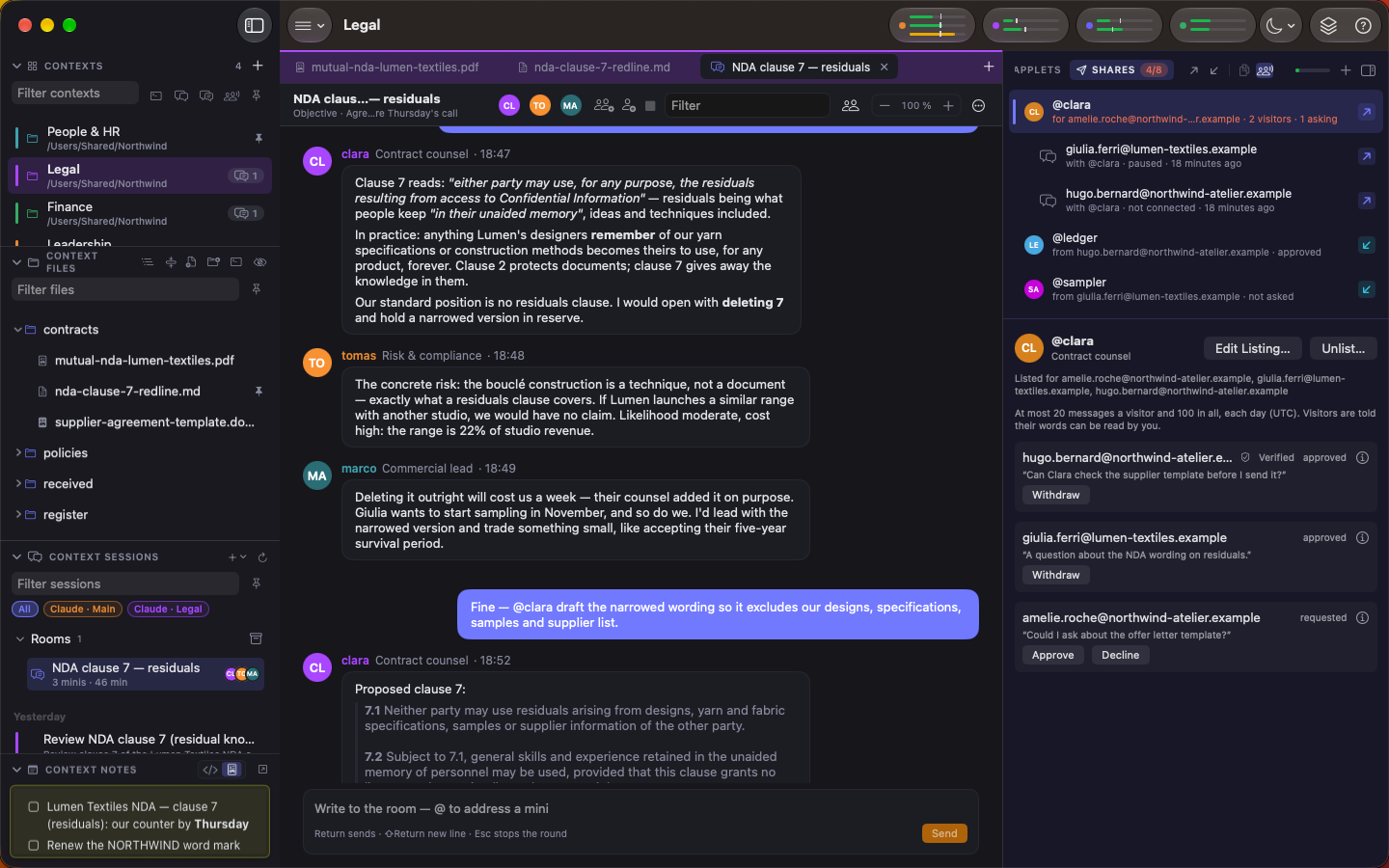
Approve or decline a request
A listed mini's row counts the people asking, for example "2 asking". Each visitor shows the listed address that let them in, their note, their fingerprint, the Verified mark and their state.
- Open the request. Read the note.
- If it matters who this is, compare their fingerprint with them by another route, such as a call, and mark them Verified. See Verify who you share with.
- Choose Approve or Decline.
An approved visitor offers Withdraw. A declined or withdrawn visitor offers Approve, since you may change your mind. They cannot ask again. Relisting the mini leaves every visitor's state as it was.
Read, pause, stop or delete a conversation
Under a listed mini you see each conversation: the visitor, whether it is live, when it last spoke, how many messages today, and whether it is paused or stopped. Select one to read its exchanges, and follow a live one as it goes.
| Action | What it does |
|---|---|
| Pause | The channel is held and the visitor is told. A message sent into it is refused. Resume lets it go on. |
| Stop | The channel closes, and every new channel from that visitor to that mini is refused. |
| Delete | Your copy and the mini's session for it are forgotten. The visitor's next message starts a new conversation. |
There is no box to write in. You never answer in the mini's place.
Caps
Cortex counts every message a visitor sends, per UTC day. The defaults are 50 per visitor and 200 for all visitors of one mini. You can lower either in the listing sheet. A message past a cap runs no turn, and the visitor is told which cap and when it resets, at 00:00 UTC. The server also limits how many conversations are open at once on a mini (3) and how fast frames flow.
Where it is kept
A conversation is kept on your Mac and the visitor's, nothing on the server. It is never written into a context folder. Your mini does not learn from visitors. Your account pays for every turn.
Change who may ask
Edit Listing… changes the addresses. Removing an address withdraws the visitors that address alone let in. Unlist… withdraws everyone and deletes the conversations on your Mac.
Something wrong or missing? Tell us