 Cortex
Send a copy of a mini
On this page
Share a mini as a package: what travels, what never does.
When you send a copy of a mini, the other person gets their own mini that they run on their own Mac, on their own account, at their own cost. It is a different thing from letting people talk to yours, which stays on your Mac.
Send it
- Open the Minis Library, right-click the mini, and choose Share….
- You get the same sheet as for files: addresses, a title, a message and an expiry. See Share a file or folder.
- The sheet warns you about anything in the mini's knowledge that looks like a secret. It never changes the knowledge for you. Read the warning and fix the files first if needed.
- Click Send.
What travels
The package holds the mini's card (alias, title, colour and avatar), its role, its behaviour, its lessons and examples, its version, and its knowledge files.
What never travels
The mini's memory, its exchanges and signals, your account, and the files of any context it is bound to.
It is a snapshot
The copy is the mini as it is now. If you improve your mini later, nothing is sent on its own. Choose Send New Version on the share. The recipient's copy then offers an update. See Install a shared mini and follow its updates.
What the recipient sees
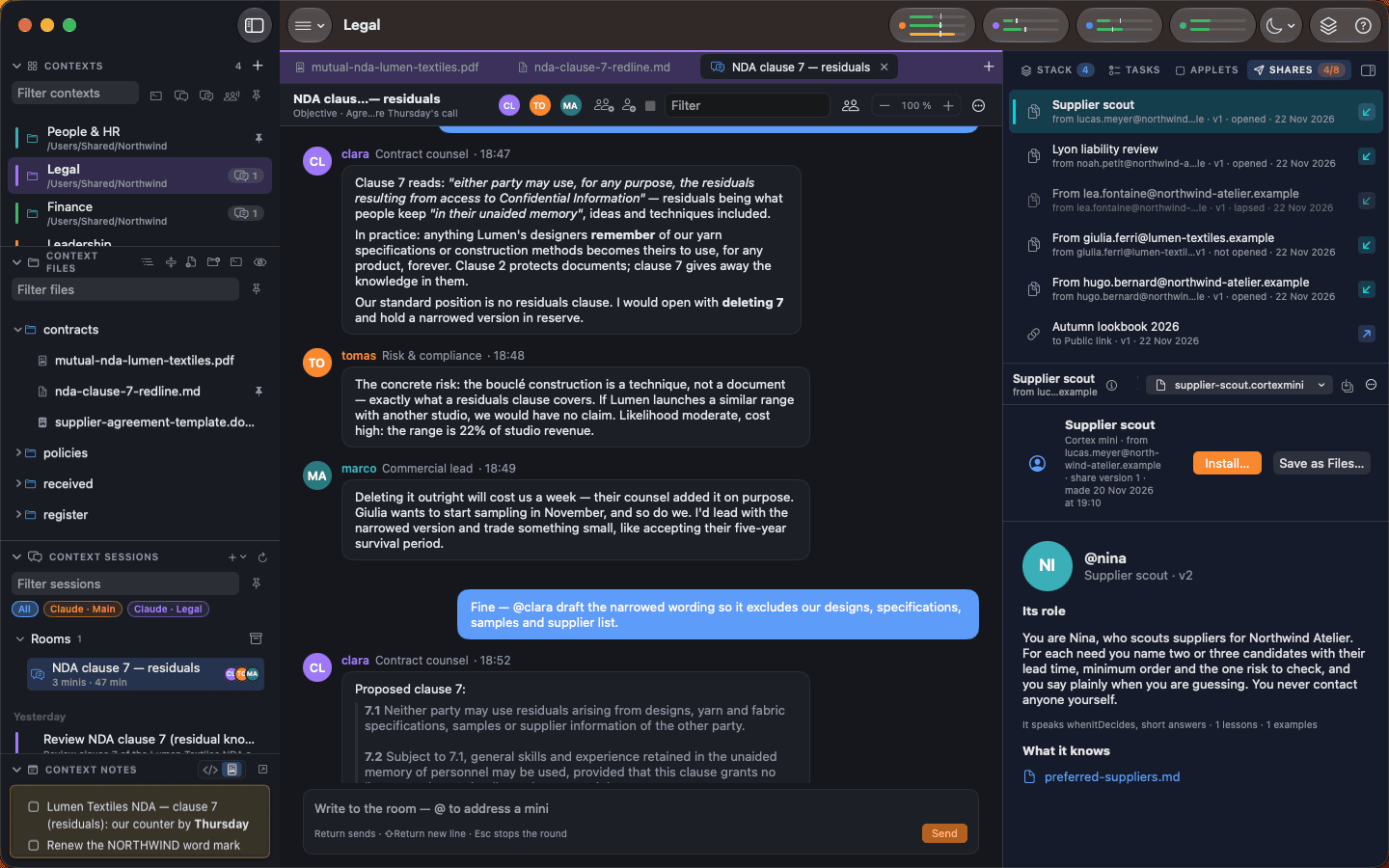
In Cortex, the mini opens as a card with Install…. In a browser, the page shows a card: who it is, its role, how it behaves, what it knows, and how to install it in Cortex. A mini is never run in a browser.
If you revoke or it expires
Revoking a recipient, or the share expiring, stops new versions reaching them. A copy they already installed stays theirs.
For managing the share itself, see Send new versions and manage a share.
Something wrong or missing? Tell us