 Cortex
Talk to a mini shared with you
Ask to talk, wait for approval, converse over an encrypted channel, asleep and busy states.
Someone can list a mini for you so that you can talk to it from your own Cortex. The mini runs on their Mac, not yours. You need a Cortex ID and a connection.
Find it and ask
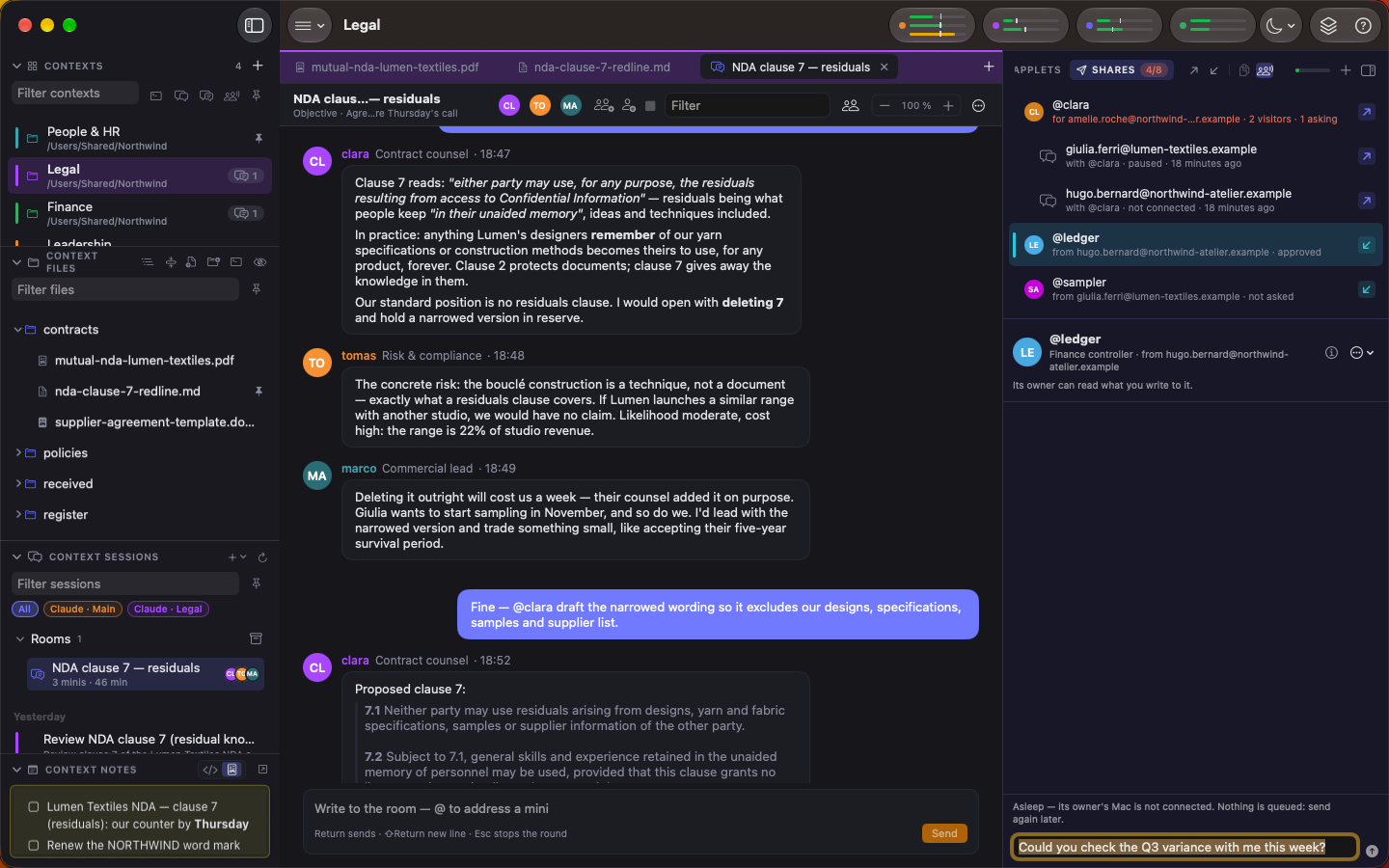
- Open the Shares view of the right-hand panel. Minis listed for any of your addresses appear in the same list, marked ↙.
- Select the mini. Its card shows its alias and title, its owner's address, and the line that its owner can read what you write. The fingerprint you share with the owner is behind the ⓘ.
- Click Ask to Talk…. You can add a short note, which is sealed so that only the owner can read it. Then ask.
The row shows requested, approved, declined or withdrawn.
Talk
Once approved, the conversation shows below the list with a field to write in. When you send a message, Cortex opens an encrypted channel to the owner's Cortex if none is open, and shows the answer when it comes, with a typing mark while the mini works. The channel closes after 5 minutes without a message, and when you leave the conversation. The next message opens a new one.
The conversation is saved on your Mac only. Delete Conversation removes your copy. The owner's copy is theirs.
What the line above the field says
| Line | What it means |
|---|---|
| Asleep | The owner's Mac is not connected. Nothing is queued. Your message stays in the field, so you can send it later. |
| Busy | The mini has all its conversations taken. Try again shortly. |
| Paused by its owner | The owner paused the conversation. The field waits until they resume. |
| Stopped by its owner | No message goes. |
| Deleted by its owner | Your next message starts a new conversation. |
| Withdrawn or unlisted | The mini disappears from your list once it is read again. |
| The daily limit | It names which limit it is, its number, and the time it resets, in your local time. |
| Could not answer | The mini failed on that message. |
What to keep in mind
- The owner can read everything you write, past and live, and can pause or stop it. They cannot answer in the mini's place.
- The mini only reads. It cannot change anything on the owner's Mac for you.
- The channel is encrypted between your Mac and theirs. The server relays it and cannot read it. See End-to-end encryption in plain words.
- Checking who it really is. The listing names the owner by address and key. To be sure of them, compare the fingerprint another way. See Verify who you share with.
Something wrong or missing? Tell us