 Cortex
What a Cortex ID is
On this page
You on Cortex Server: addresses and passkeys, no password; and that you need one only to share.
A Cortex ID is you, as Cortex Server knows you. It is a set of email addresses you have proved you can read, plus a key of your own and the Macs and browsers that act for you. There is no password to choose, remember or lose.
Do you need one?
Only to share. Sessions, files, minis, rooms and tasks all work without it, fully and offline. A Cortex ID is needed to send shares, to list a mini for other people, to talk to minis listed for you and to sign PDFs (Signing PDFs, in short). Cortex says where one is needed. Someone who only reads a share you send them can read it in a browser, and the browser makes a Cortex ID for them on the spot, see Share with someone who doesn't have Cortex.
The three lines in Settings → Cortex ID
The Cortex ID pane opens, before and after you join, on three short lines.
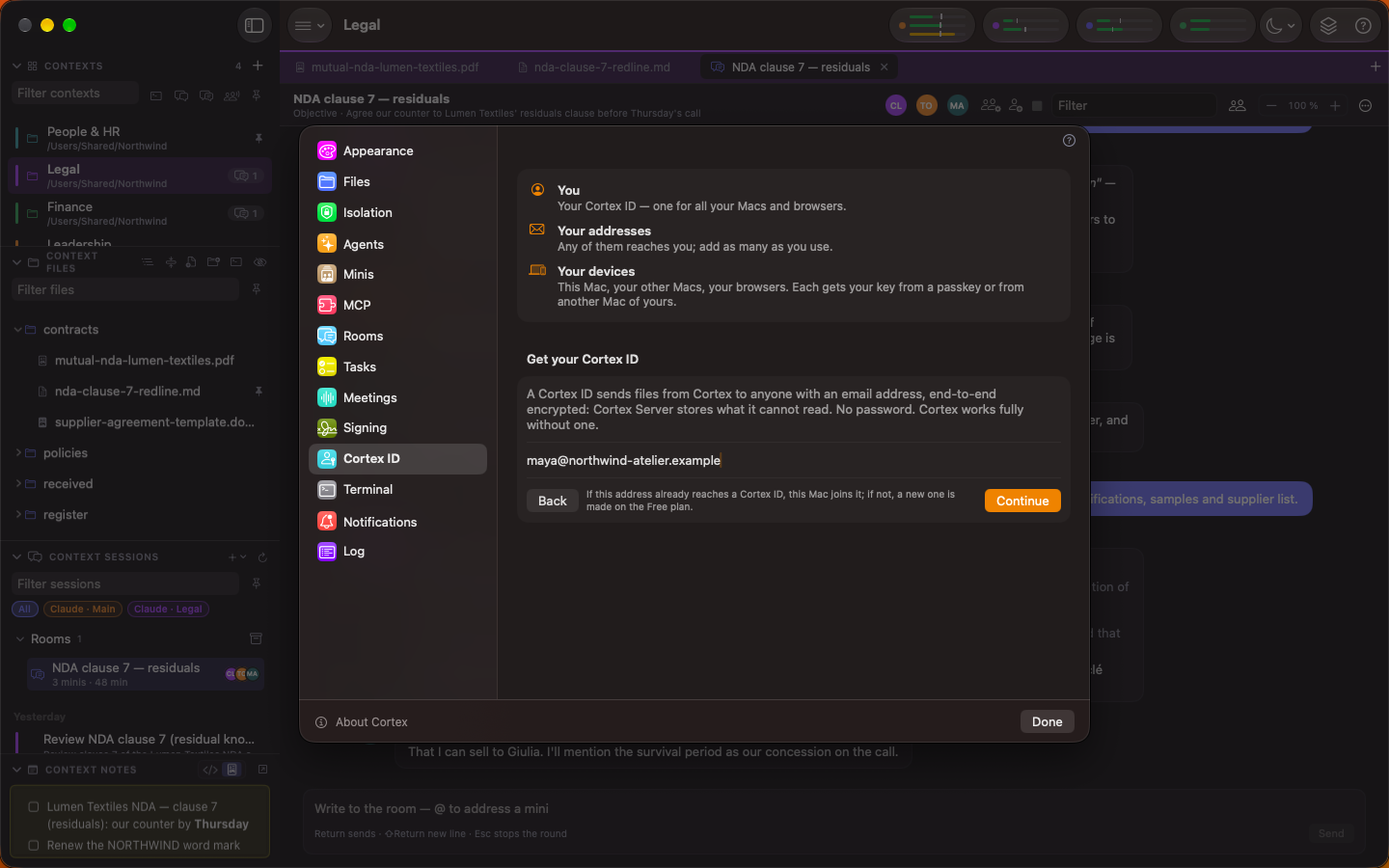
- You. One Cortex ID for all your Macs and browsers.
- Your addresses. As many as you use. Anything sent to any of them reaches you.
- Your devices. This Mac, your other Macs and your browsers. Each is given your key by a passkey or by another Mac of yours.
Three proofs, each for its own job
Nothing you have to keep secret does the work. Three different proofs do, and each does one thing.
- A one-time code proves an address. It is mailed to the address and typed into Cortex or a browser.
- A passkey unlocks your key. You use it the way you unlock other things on your Mac. Your password manager (iCloud Keychain) syncs it between your Macs.
- A device key signs every request a Cortex app makes. It stays on that Mac.
Your Cortex ID key, in plain words
Everything shared with you is locked to a secret key that belongs to your Cortex ID. The server keeps only a copy of that key that is itself locked by your passkey, so the server cannot open it. Once unlocked, Cortex keeps the key in this Mac's Keychain. It is never synced to another Mac or to the server in the clear.
You never see or handle the key. See End-to-end encryption in plain words.
What the server holds
Your addresses, your devices, your public key, and the passkey-locked copy of your key. It does not hold what you share in a form it can read. The same page about what the server can and cannot see lists it.
You can download all of it, whenever you like: in Cortex, Settings → Cortex ID → Download My Data…, or in a browser, Download my data on My shares. It is a file named cortex-id-<id>-<date>.json, made when you ask and kept nowhere, with your addresses, devices, passkeys' names, shares sent and received (sizes, counts and times, never titles or content), minis, the Terms you accepted, and your signatures' records.
Next
Something wrong or missing? Tell us