 Cortex
Verify who you share with
On this page
The 60-digit fingerprint, the Verified mark, and what Key changed means.
When you share with someone, Cortex locks the files to their key. Cortex gets that key from the server. The one thing a fingerprint guards against is the server handing you a false key, one that belongs to someone else. It is the one attack the design leaves for people to check, so Cortex gives you the means to do it.
What a fingerprint is
A fingerprint is 60 digits in 12 groups of 5, worked out from two Cortex ID keys, yours and theirs. It is the same on both sides, so you can read it to each other. If the two match, no one swapped a key in between.
Compare one
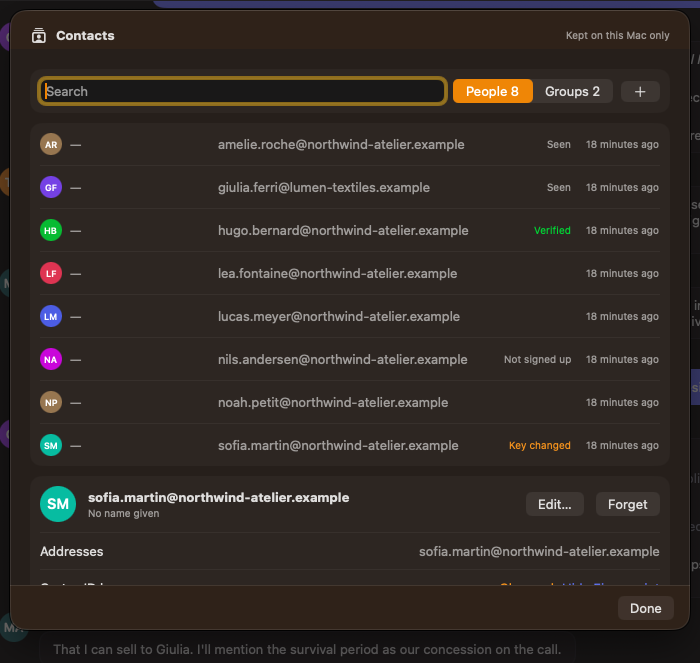
- Find the person's fingerprint. It is behind the ⓘ beside a share's sender, in a recipient's row under Manage…, and in the Contacts sheet under Compare Fingerprint….
- Compare it with them by another route: a phone call or in person.
- If it matches, mark them Verified.
Verified holds until their key changes. Contacts show the mark wherever they appear: in the people field, in recipient rows and in the Contacts sheet.
The Share sheet names addresses before their keys are known, so it shows neither a fingerprint nor a mark. A listed mini names its owner by address and key, not by Cortex ID, so there is no contact to mark Verified, but the fingerprint is behind its ⓘ.
When Cortex asks, offers or only says
Comparing is worth your time only where a false key would hurt most.
| Moment | What Cortex does |
|---|---|
| You approve a new Mac of your own | Always. The two Macs show the same six digits, and you approve only if they match. See Use your Cortex ID on a new Mac. |
| A contact's key changes | Says so: Key changed, before anything is encrypted to the new key. |
| You approve a visitor for a mini, or share something sensitive | Offers the fingerprint to compare. |
| Anything else | Nothing. |
Key changed
A contact is marked Key changed when they reset or rotated their key. Cortex shows it wherever they appear, such as a recipient row or a share they sent you, and encrypts nothing to the new key until you have seen it. Usually it just means they replaced a device. If you did not expect it, check with them using their fingerprint. After a rotation there is nothing to encrypt again, so the mark is only a notice. On the server the mark clears when you open any share from that sender.
What a fingerprint does not do
It does not check that someone's name is who they say, only that the key is the one they hold. The key log also catches false keys, after the fact and without you doing anything. A fingerprint gives certainty right now.
Something wrong or missing? Tell us