 Cortex
Rotate or reset your key
On this page
Rotate while you still hold it; reset after a delay every address is told about; what senders see.
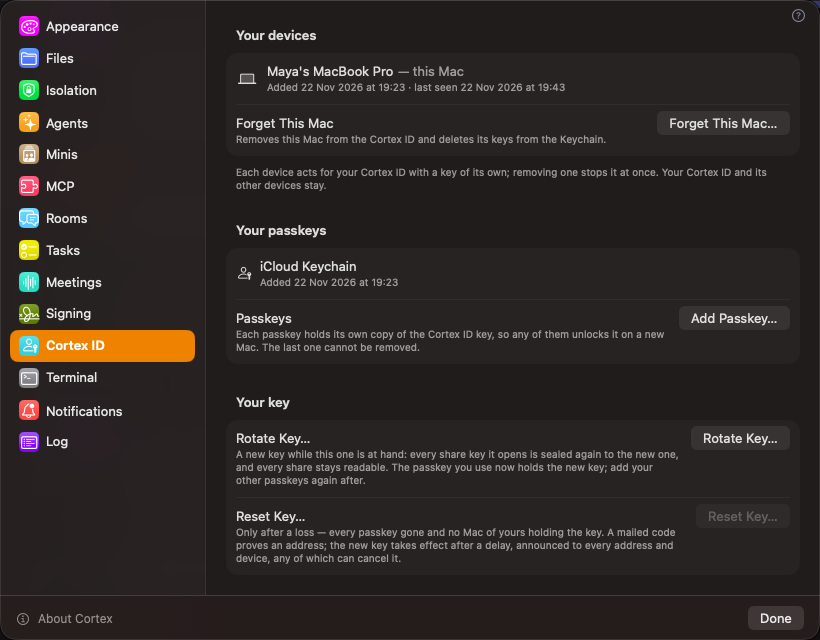
Your Cortex ID key is what everything shared with you is locked to. You can replace it in two ways. Which one depends on whether you still hold the old key. Both are in Settings → Cortex ID.
Rotate: you still have the key
Choose Rotate Key… when you want a new key but still hold the old one, for example after you lose a laptop but another Mac of yours still has the key.
- Cortex makes a new key and a copy of it for each passkey you keep.
- It proves it holds the old key, then re-encrypts every share key the old one opens to the new one: shares you sent, shares sent to you, and the secrets of your public links.
- It commits the change, and the old key is deleted.
Every share stays readable. If it stops halfway, Cortex resumes from what the server still lacks. People you share with are told your key changed. They see Key changed next to you, but have nothing to encrypt again, since Cortex did all of it. Your other devices keep working once they unlock the new key with a passkey, or are approved again.
Reset: every passkey is gone
Choose Reset Key… only when every passkey is gone and no Mac of yours holds the key. It is the last resort, and it has costs.
- A code mailed to one of your addresses proves it is you.
- Cortex makes a new key and a new passkey, and uploads the new public key as pending.
- The server mails every address of your Cortex ID, and tells every device. The pane shows the reset as pending until it takes effect, with what comes back and what does not.
- After the delay, the new key becomes your key. The delay is 8 hours on the live server, counted from when the notices went out.
While it is pending, your old key still works and the Macs that hold it keep working.
Cancel a reset
Any device of yours can cancel a pending reset with Cancel Reset. Every notice mail has its own cancel link too. The link opens a page, and only the page's button cancels, so a mail scanner that follows links cannot cancel it by accident. If you did not ask for a reset, cancel it at once.
This delay is what protects you from someone who has your mailbox. A code alone cannot reset your key in secret. Every address is told, and any of your devices can stop it. A removed address is still mailed during the delay.
What a reset costs
- Shares sent to you come back, but not at once. Each sender's Cortex re-encrypts the key when it is next online. Until then the share shows Waiting for the sender. See A share is waiting or has lapsed.
- Your own shares are lost to you, for good. Your key can no longer open their old keys. Their recipients can still read them. You can still manage them: revoke, delete, change the expiry and send a new version. A new version starts a new key, and every recipient with a Cortex ID gets it. A recipient without one, and anyone added later, gets a new link and reads from that version on.
- Public links get a new link for the share's next version. The old link keeps reading the versions it could before. See Share by public link.
- Contacts see Key changed, and senders are told. Cortex encrypts nothing to your new key for them until they have seen it. See Verify who you share with.
- Your signing certificates are revoked. If you sign PDFs, the certificates of this Mac's signing key are withdrawn when the reset takes effect, and the next signature makes a new key. Signatures you made before stay valid. A rotation does not touch them. See Signing PDFs, in short.
Which one to use
| Situation | Use |
|---|---|
| A Mac is lost or stolen, but another Mac still holds your key | Remove the lost device, then Rotate Key… |
| You still have a Mac with your key and want to be safe | Rotate Key… |
| Every passkey is gone and no Mac holds the key | Reset Key… |
| You only need your key on a new Mac | Neither. See Use your Cortex ID on a new Mac |
Something wrong or missing? Tell us