 Cortex
The browser versus the app
On this page
Why a signed, checkable viewer page is good but Cortex is stronger.
You can read a share in Cortex or in a browser. Both decrypt it on your side. They are not equal, and this article says why, and when it matters.
The difference
In Cortex, the code that decrypts your share is on your Mac. It does not come from the server. In a browser, the page that decrypts your share is handed to the browser by the server, each time. It is the one place where code from the server handles your decrypted content. A browser runs whatever code it is given.
So if someone altered the page the server serves, a browser could run it. The design cannot prevent that. It can make it detectable, and it does.
How the page is made checkable
- Signed releases. The page ships as numbered releases. Each has a list of every file with its fingerprint (a SHA-256 hash), signed with a release key kept off the server. The files are served exactly as committed, with no build step, so anyone with that release's code gets the same bytes.
- Locked to its own files. Every script and style on the page is checked by its hash, and the page runs under a strict content policy: no inline scripts, no
eval, and a connection only to the server's API host. Files are shown in a separate frame, on another host, that has no key and cannot connect anywhere. - Nothing kept. The page holds your key in memory only and keeps nothing decrypted beyond the file on screen.
- Open to anyone. Each release's signed list is published at
cortex.axelar.io/releases/<number>/manifest.json, with the release key's public half, and the release number is on the page under About. Anyone can run the check.
What Cortex does about it
Once connected, and every 12 hours, Cortex fetches the page the server serves, the signed list of the release it names, and every file of it. It checks each file against the list, and the list against the release key built into Cortex.
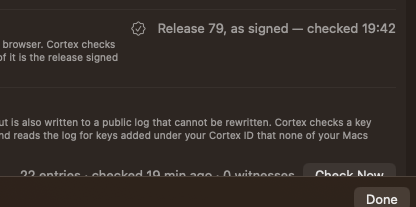
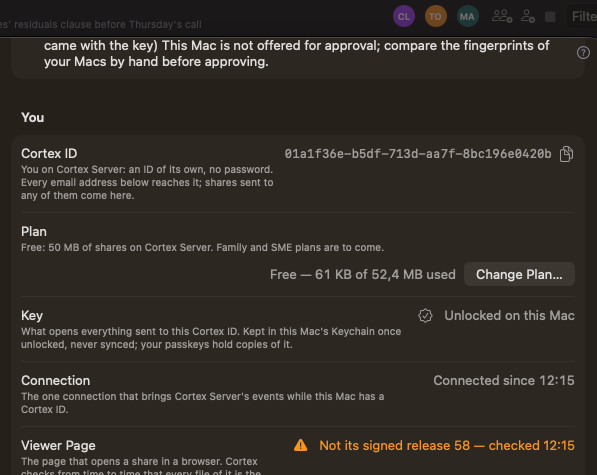
If a file differs, the list is not signed with the release key, or the release is older than one this Mac saw served, the Viewer Page line in Settings → Cortex ID turns orange and Cortex shows a notice: do not open shares in a browser. Cortex still reads them itself.
The page also checks the sender's key of a share against the key log before it opens it, and refuses the share, with the reason, if the check fails. Having no memory between visits, it does not compare the log with what it saw before, and monitors nothing for you. It also does not yet require the witnesses' co-signatures on the log's head, as Cortex does. Cortex does all three.
Which should you use
| In Cortex | In a browser | |
|---|---|---|
| Code that decrypts | on your Mac, not from the server | from the server, each time |
| Changed page | not applicable | detected after the fact by Cortex and by anyone who checks, not prevented |
| Key log | full: proofs, the witnesses' co-signatures, monitoring, comparing notes | the sender's key proof only, without requiring the witnesses |
| Needs | Cortex and a Cortex ID | any current browser, a code and a passkey |
For anything sensitive, open the share in Cortex. For a quick read, or for someone who does not have Cortex, the browser is fine. A page that is a signed release and checked is much better than nothing, but it is a different kind of safe.
See The browser viewer for what the page shows, and End-to-end encryption in plain words for the whole picture.
Something wrong or missing? Tell us