 Cortex
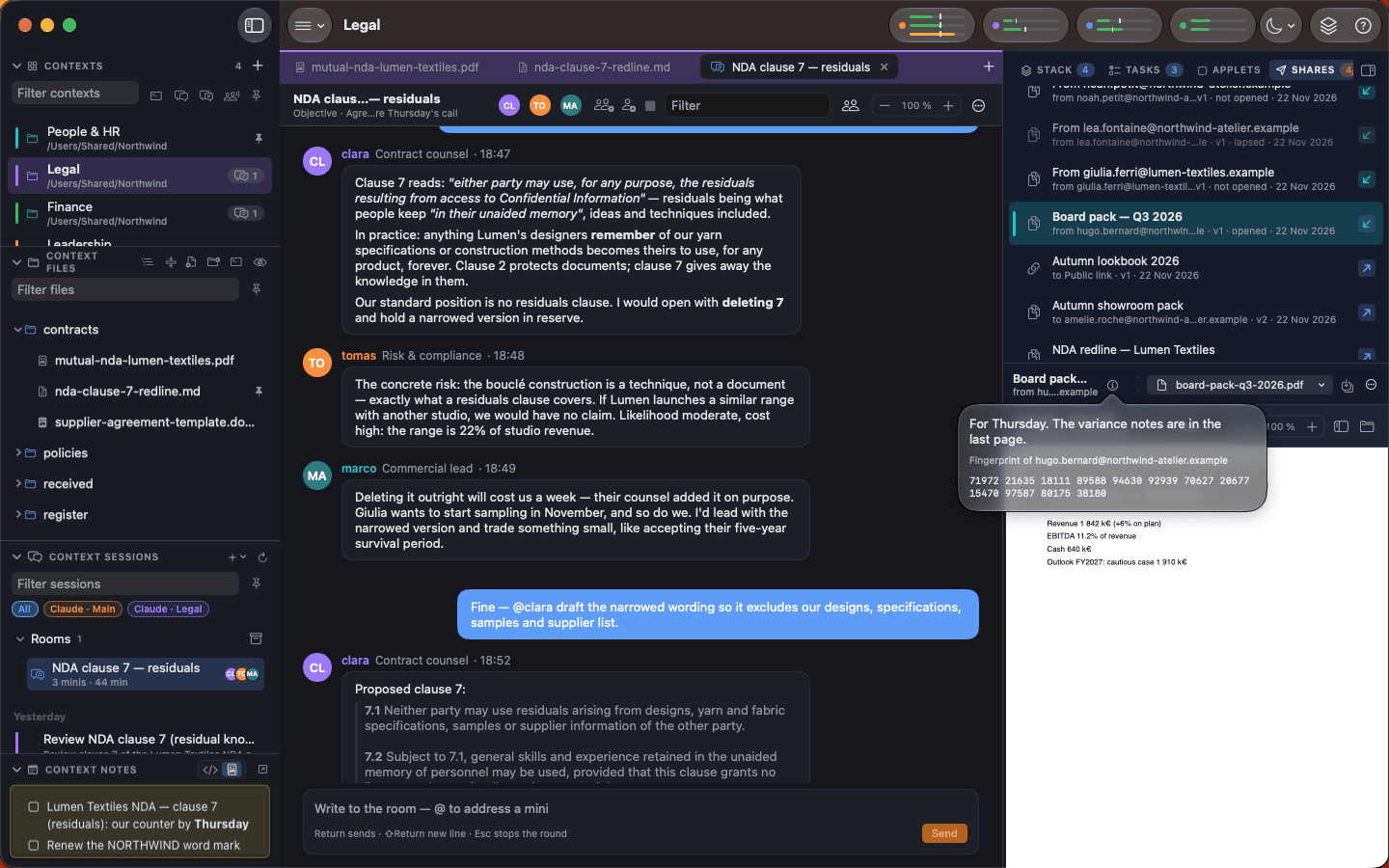
Open a share sent to you
Shared with me in the Shares view, reading it read-only, Save All, Open in Browser.
Shares sent to any of your addresses appear in the Shares view of the right-hand panel, marked ↙. You need a Cortex ID to see them in Cortex. Without Cortex, use the link in the invitation email, see The browser viewer.
Open one
- Open the Shares view and select a received share. Each row shows the sender and their fingerprint, the date, the version and its state.
- Cortex fetches the share, decrypts it on your Mac and shows it read-only under a one-row header. Nothing is downloaded until you open a share.
- The header has the title and sender (the message and the sender's fingerprint are behind the ⓘ), a pop-up of its versions and a pop-up of its files nested by folder.
- The file you choose fills the rest of the panel. The first one is shown until you pick another.
While it is open, the share is decrypted into a folder of this launch's own. That folder is emptied when Cortex quits. Opening the share again fetches it again.
Keep a copy
- Save All… saves every file to a folder you choose.
- In the ··· menu, Save File… saves the file you are looking at, and Add to Stack puts it on the Stack.
- Open in Browser opens the share on the viewer page, unlocked with your passkey. Copy Link copies its address.
What the states mean
| You see | It means |
|---|---|
| Opened or not opened | Whether you opened the latest version. |
| This content has expired, with Ask the Sender Again | You did not open it within 3 days. The button tells the sender, who can invite you again. |
| Waiting for the sender | After you reset your key, the sender's Cortex must send the keys again. It does that the next time it is online. See A share is waiting or has lapsed. |
| Readable again | A share that was waiting is open again. The mark stays until you open it. |
| Revoked | The sender took it back. It stays in the list and its content no longer opens. |
| Sender suspended | The server's administrators suspended the sender. It cannot be opened until that is lifted. |
Who sent it
The sender's fingerprint is behind the ⓘ. If you want to be sure the sender really is who they say, compare it with them by another route and mark them verified. See Verify who you share with.
A mini or applet that arrives this way opens as a card with an Install… button. See Install a shared mini and follow its updates.
Something wrong or missing? Tell us