 Cortex
The browser viewer
What a recipient sees in a browser: the top bar, the explorer, the file types shown, My shares.
The viewer is the web page on cortex.axelar.io where someone without Cortex reads a share. It is also where you can open any share from your own browser. The page decrypts everything in the browser, and keeps nothing decrypted beyond the file on screen: each file is fetched and decrypted again when you choose it.
The share
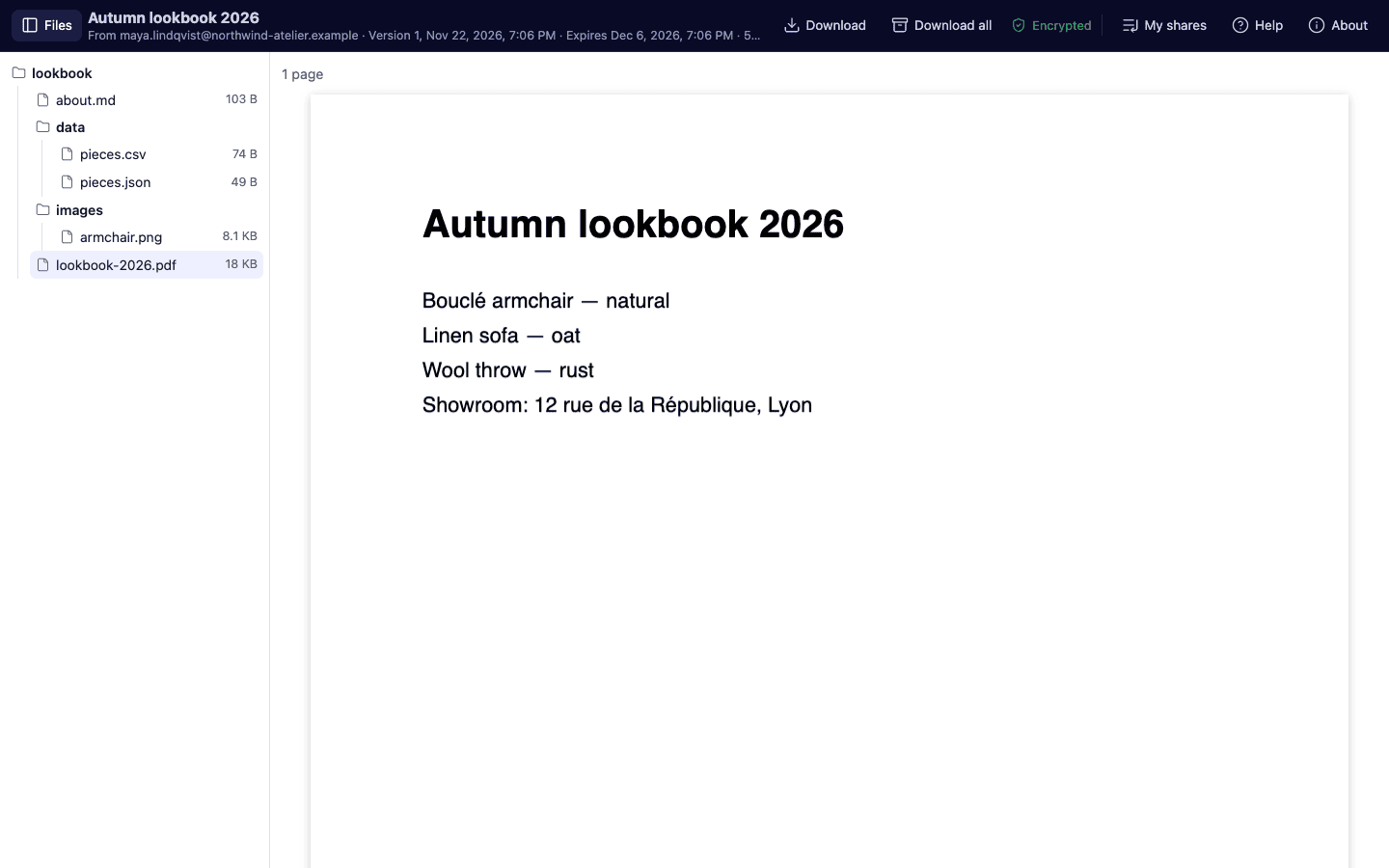
The top bar runs across the window and holds:
- the share's title, its sender, the version shown with its date, the expiry, and the number of files and their size;
- the list of versions, to move between them;
- the message and the sender's fingerprint, behind buttons of their own;
- Rendered and Source for a file that has both;
- the file's download and, for several files, the whole share as a zip made in the browser;
- a mark that the share is end-to-end encrypted;
- My shares, Help and About. About shows the page's release and its signed manifest.
The file fills the rest of the window. A share of one file shows it at once. A share of several has an explorer on the left, a tree of its folders and files. Hide it with Files in the top bar to give the file the full width. On a phone, the explorer covers the file until you choose one.
Which files it shows
Files are shown in a sandboxed frame that holds no key and cannot connect anywhere. It shows PDF, Markdown, code, XML, plain text, CSV and TSV as tables, JSON as a tree, SVG, images, audio and video, Word documents laid out as pages, Excel workbooks as one table per sheet, and PowerPoint decks as slides. Some formats such as HEIC and TIFF are shown where the browser or the page can decode them.
HTML is shown laid out but without running anything. If a page has scripts, a bar says so and names the sites it loads from. Run it runs them in a separate sandboxed frame, Open in a separate tab opens that page on its own, and Download saves the file. Show without scripts goes back.
OpenDocument files, RTF and anything else it cannot show are offered for download, as is every file. A file that is damaged, or too large for the page to show, is offered for download with the reason. A Cortex object, such as a session or a meeting, is drawn as text and structure only and never run.
My shares
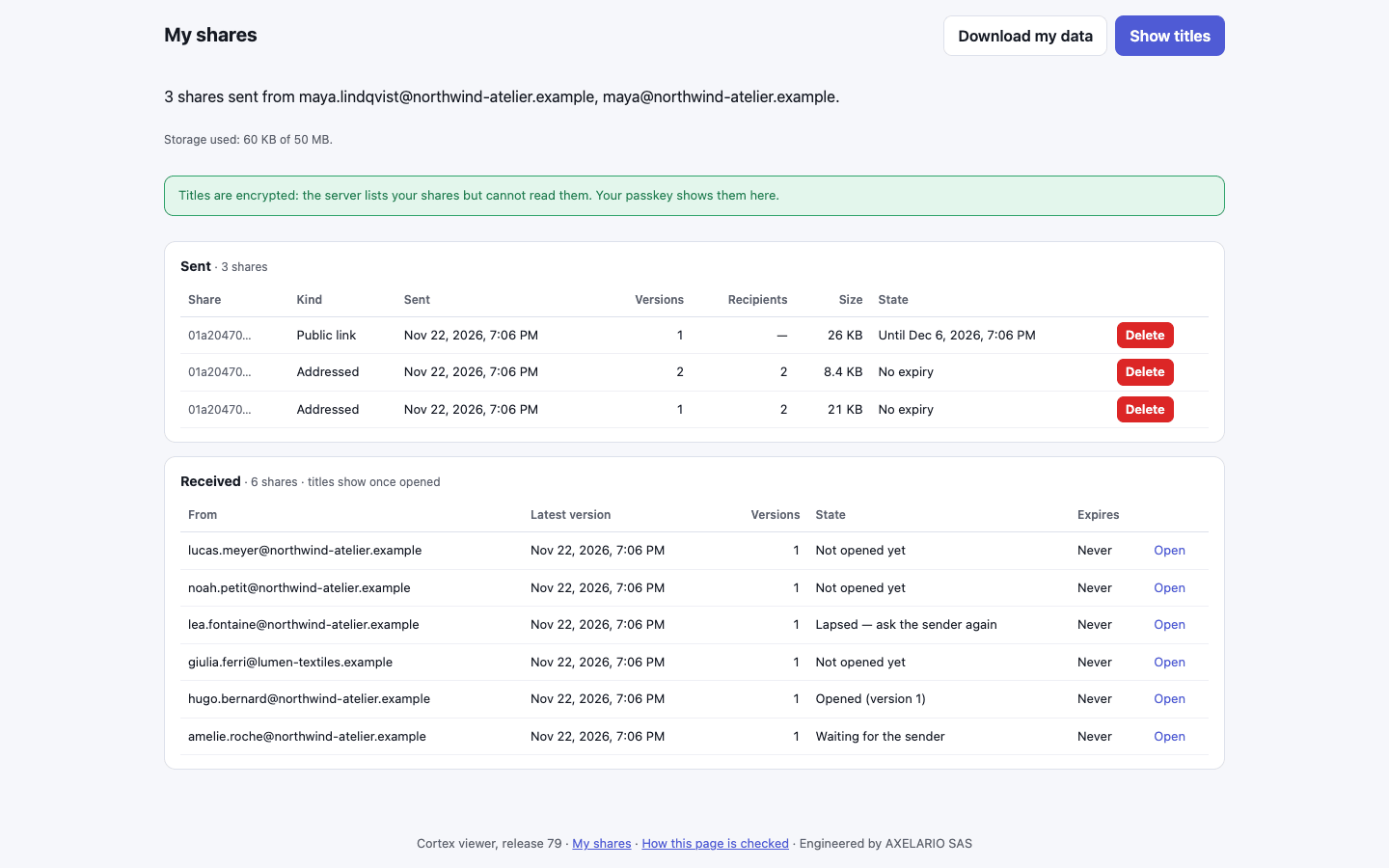
My shares lists the shares you sent, after you prove an address with a code. Each shows its kind, the day sent, versions, recipients, the storage it takes and its expiry, with your storage against your limit, and Download my data, which saves everything the server holds about your Cortex ID as one file. The server lists them but cannot read them. Show titles asks for your passkey and then shows each title and file count, decrypted in your browser, with Open. Delete asks once more, then deletes the share on the server at once. Below are the shares sent to you, with their state and Open, never a title.
On a phone
Each share in My shares becomes a card. The top bar shrinks to one row with a ☰ menu for the other tools. The viewer and My shares do not zoom, but you can pinch inside a Word or PDF document to zoom that document.
Trust
The page is a signed release that Cortex and anyone else can check, but a browser runs the code it is given. See The browser versus the app. How to get there and what a first-time visitor goes through is in Share with someone who doesn't have Cortex.
Something wrong or missing? Tell us