 Cortex
Talk in a room
Send, address a mini with @, stop a round, quote, copy and delete messages.
Once a room has minis, talking in it is like any chat. Your messages sit on the right in your accent colour. Each mini's sit on the left under its face, alias and title.
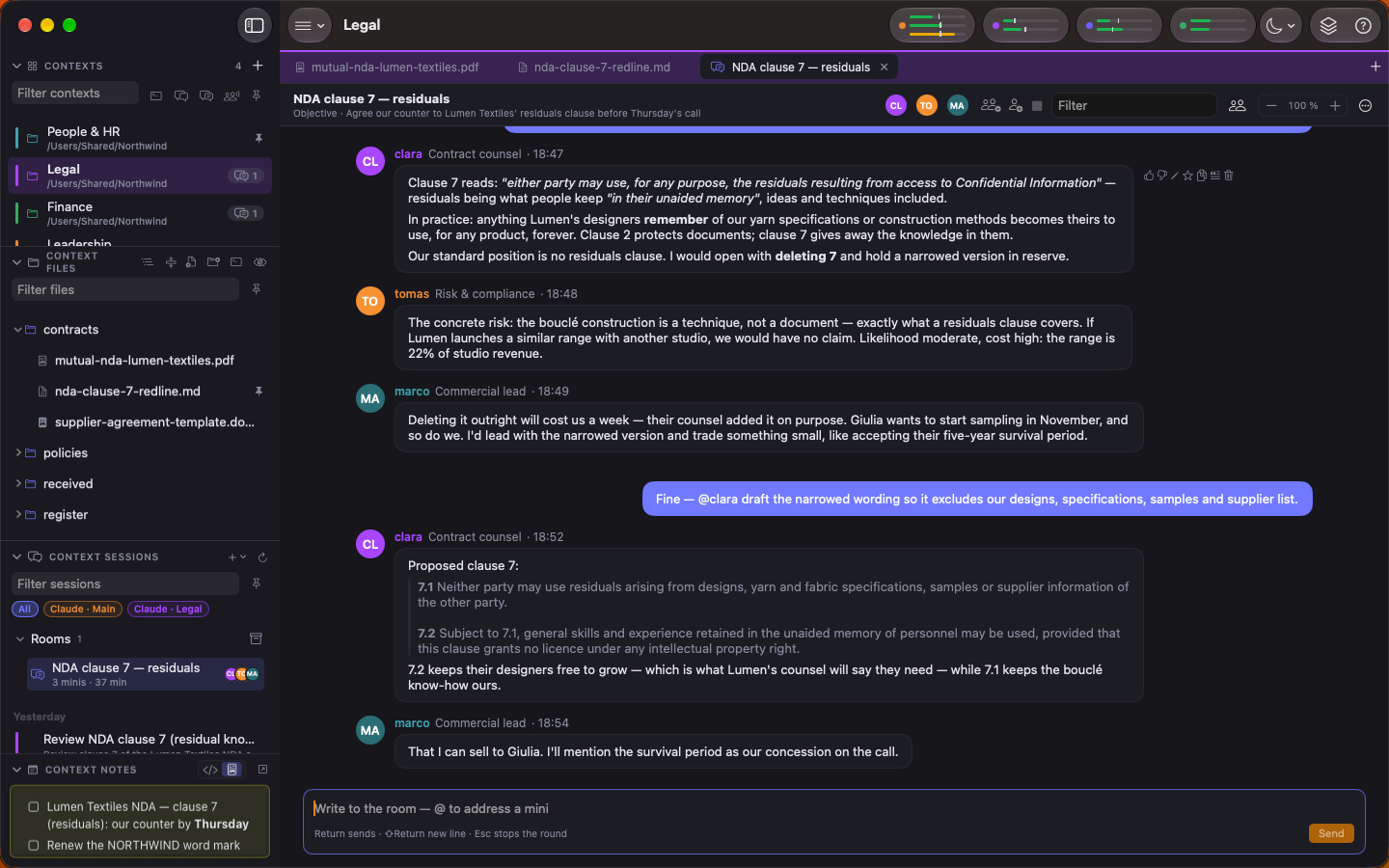
Send a message
- Click the composer at the foot of the room and type.
- Press Return to send. ⇧Return starts a new line.
Each message you send starts a round. The minis answer one at a time. While a mini works, you see "Ada is thinking…" with the seconds counting. Its answer streams in as it writes. Under the composer a counter shows where the round stands, such as "Round 1 of 3 · 3 of 4 messages".
A mini does not have to answer. If it has nothing to add, it passes, and you see nothing. To see passes as faint lines, turn on Show passes in Settings → Rooms.
Address one mini
Type @ and the members whose alias starts with what follows appear. Click one or press Tab to complete it. A mini you name takes its turn first, and a mini set to speak only when addressed answers only when it is named. See Decide who answers.
Cut in or stop
You can write while a round runs. The mini currently answering finishes, the rest of the round is dropped, and a new round starts with your message. To end everything instead, press Stop in the header, or Esc in an empty composer. A message that was cut is marked stopped.
Work with messages
Hover over a message to get its actions, or right-click it:
- Copy copies the text.
- Quote puts it in the composer as a quote, with its author first.
- Delete… takes the message out of the room. It asks first, unless you hold ⌥.
- On a mini's message you also find feedback: thumbs up, thumbs down, Correct… and Keep as example. See Minis that remember and learn.
The filter in the header shows only the messages that match some text, and a menu next to it filters by author. A mini's message that waits on a permission shows a card, described in Bind a mini to a context.
When something goes wrong
If a mini cannot answer, for example because its account hit a limit, a centred line says so ("Ada could not answer — rate limit") and the round goes on. That mini is given what it missed on its next turn. If the minis reach the limit for messages or rounds, a line says "The minis are waiting for you". Send another message to continue.
A session of your context can also post in a room, as itself. Its messages show the terminal glyph and its title. See Agents working with other sessions, rooms and minis.
Something wrong or missing? Tell us