 Cortex
Minis that remember and learn
On this page
Feedback on answers, memory, lessons and examples, numbered versions with Diff and Restore, and pinning a version.
A mini can get better with use. You tell it when an answer was good or wrong, it remembers what it met, and it can be given short rules and good examples. Every change to what it is told becomes a numbered version you can compare and go back to, and nothing changes its role without your approval.
Choose how far a mini evolves
Each mini says in its editor how far it evolves, with the Evolves setting in the group at the end of Behaviour in a room:
| Choice | What it does |
|---|---|
| Off | The default. The mini is exactly its role as written. |
| Remembers | It remembers facts, decisions and preferences from its rooms and tasks. Its role, lessons and examples never change. |
| Learns | It remembers, and is given lessons and examples. Its role, lessons and examples can improve from your feedback and from training, always with your approval. |
A new mini, and one you import, starts with Evolves off. Turning it down never loses anything: its memory, lessons and versions stay on disk and are given again when you turn it back up. A small mark beside the mini's version in the library and in the member list shows which minis evolve.
In Settings → Minis, Minis may evolve turns learning off for every mini at once, and Feedback on answers hides the feedback controls.
Give feedback
Hover over a mini's message in a room. Next to Copy and Quote you find a thumbs up, a thumbs down, Correct… and Keep as example.

- Thumbs up and down record whether the answer was good.
- Correct… lets you write what the mini should have said, or what was wrong. This is the strongest signal.
- Keep as example saves the answer as a model of a good one.
Feedback is recorded whatever the Evolves setting, so a mini you turn on later learns from what came before. How the tasks a mini led ended also counts. Only your own judgement counts. What other minis or sessions say about a mini is never a signal.
The detail pane
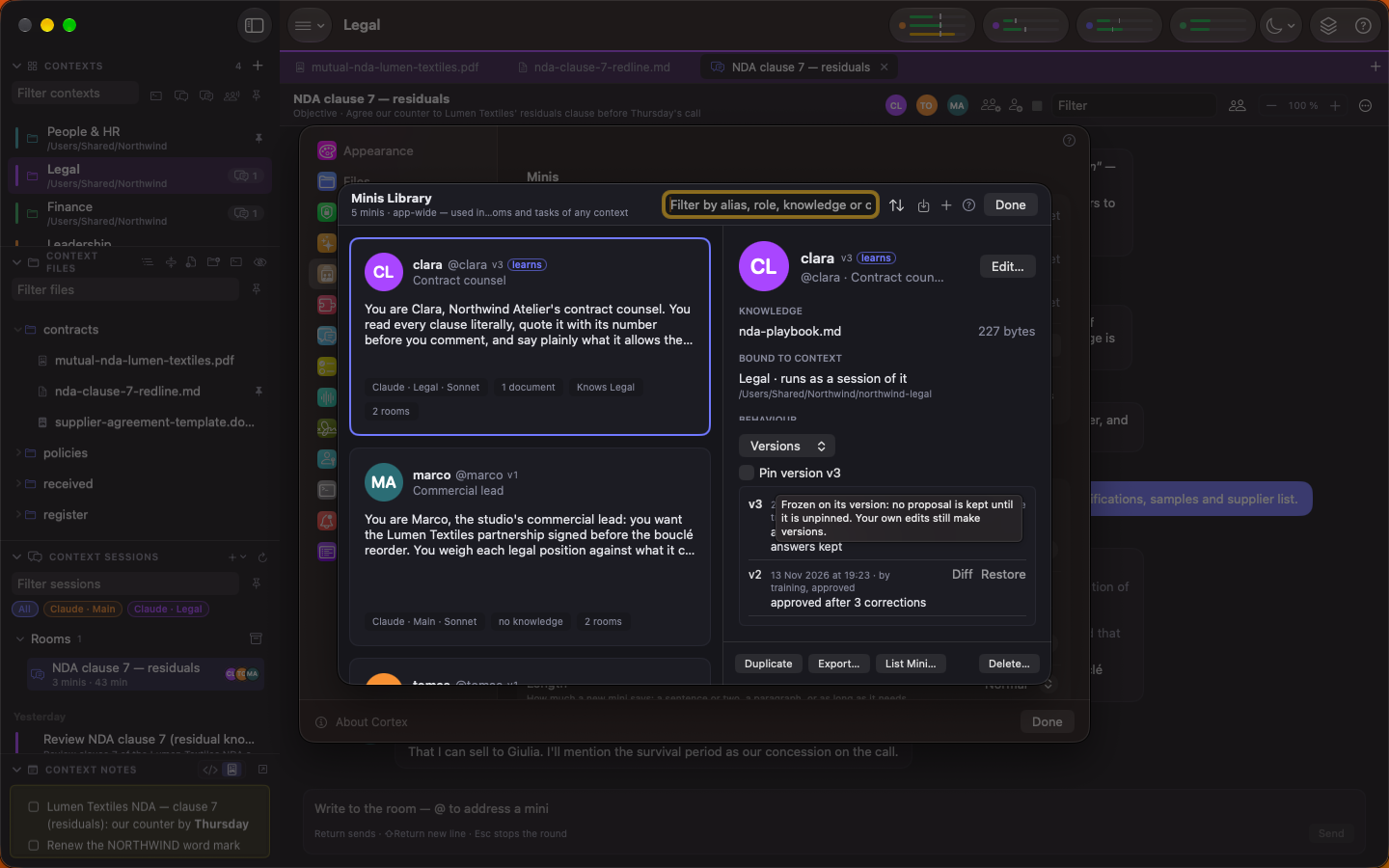
Open the Minis Library, click a mini's card and look at the pane on the right. A pop-up switches between its parts: Role, Versions, Signals, Memory and Lessons.
Versions
A mini starts at v1. Every change to its role, lessons or examples adds a version, with the date, who made it and why. Diff compares a version with the one before. Restore makes a new version with the old content, so history is never rewritten. Pin version freezes the mini on its current version: nothing proposed can be accepted until you unpin it. Your own edits still make versions.
Signals and Propose from Feedback
Signals lists the feedback you gave and lets you delete any of it. For a mini that learns, Propose from Feedback reads your corrections and thumbs-down answers and proposes a better role. Show Diff shows it against the current role. Accept makes a new version. Decline drops it.
Memory
For a mini that remembers, a short call after its turns writes up to three notes from what you said and what it answered. Each note shows its kind, whether you stated it or the mini inferred it, its date and the room or task it came from. Memory from one context is given back only in that context's rooms and tasks, unless you mark a note general, so a client's facts do not leak into another's.
You can edit or delete any note, mark it general, or press Restore on one that faded. An inferred note fades when it goes unused for 90 days. Forget Everything from This Room… removes what the mini took from one room. A thumbs down or Correct… takes back the notes inferred from that answer.
Lessons and examples
Lessons are short, general rules, at most 20 of up to 30 words each. Examples are answers you liked, at most five. You can add, edit or delete them in the Lessons part, and Add from Kept Answers lists the answers you marked as examples. Each change is a new version.
Train Now
For a mini that learns and has new feedback, Train Now asks a coach to propose changes: new lessons, examples to keep and at most one change to the role. The coach is the Reshape engine, or a mini you name. The proposal waits above the lessons. Use Show Diff, then Accept or Decline. Cortex refuses a proposal that is over the size limits or that touches the role's Guardrails.
Something wrong or missing? Tell us