 Cortex
Choose which account a session runs on
On this page
The + picker, a default per context, resume always on the session's own account, forks.
When you have more than one account, Cortex needs to know which one a session runs on. This article shows how to choose, and how to set a default so you rarely have to.
What decides
| You start | It runs on |
|---|---|
| A new session | The account you pick in the + picker. If you pick none, the context's default account. If it has none, the app's default account |
| A resume | Always the session's own account. Its transcript lives in that account's folder |
| A fork | The account the fork menu names. See below |
The + picker
The + button in the Context sessions header, and ⌘N, start a session on the default. To choose another, press the small arrow beside +.
The picker lists every account in your order, each with its colour dot. The context's default is marked "default here". Each row shows its headroom, which is its most-used meter as a bar and a percentage from the last usage reading, and an account near its limit says so, for example "5-hour nearly used — resets in 1 h 8 min". Pick a row to start a session on that account. The picker takes the keyboard when it opens, and Esc closes it.
Under the accounts you also find New Named Session…, which starts an unnamed session if you leave the name empty, and Default Account for the context.
Set a default for one context
Either:
- In the + picker, choose Default Account for the context, then pick the app's default or one account. The one in force has a check mark.
- Or open Context Settings… from the context's row menu and set New sessions run on.
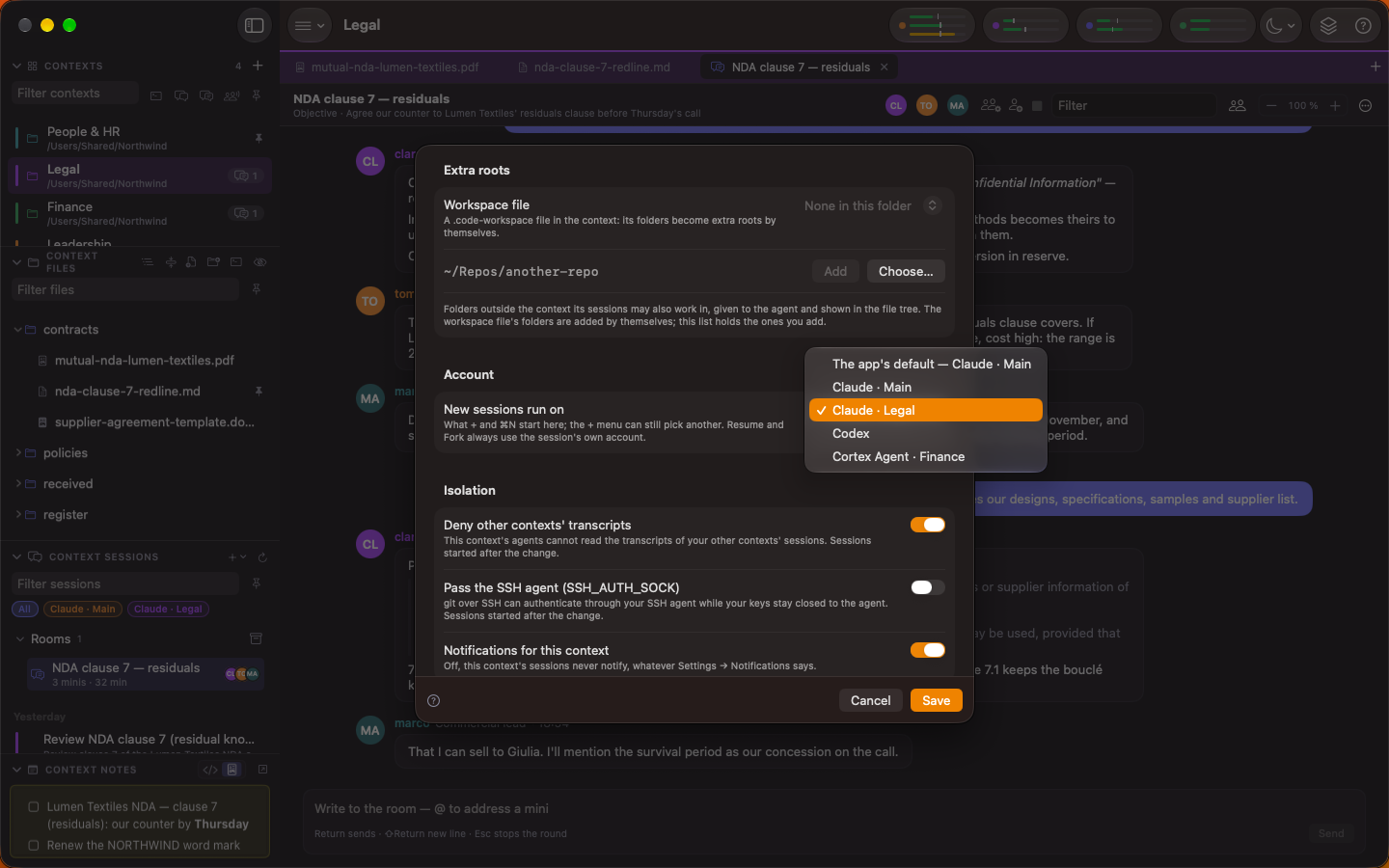
The first choice, "The app's default", follows the account you made the default in Settings → Agents with Make Default. Out of the box that is Claude Code's built-in account.
Resume and fork
Resume always uses the session's own account, because the transcript is kept there.
A fork runs on the account its menu names. By default that is the account of the last fork you made from that menu, otherwise the session's own. A fork on the session's own account is the agent's own fork. A fork onto any other account or agent is a hand-off. Resume or fork a session explains the difference, and Hand a session to another account or agent explains how a hand-off works.
See which account a session used
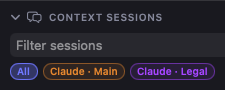
With more than one account, each session row has a bar in its account's colour, and its details line starts with the account's name, as in "Claude · Legal". Chips under the filter, All, then one per account the context's sessions come from, show a single account's sessions. The choice is dropped when you switch contexts.
Each account also keeps its own memory, so another account's Context memory row says whose it is.
Something wrong or missing? Tell us