 Cortex
Context Settings
On this page
Every per-context setting in one sheet, and where each is explained.
Some choices belong to one context rather than to the whole app. Context Settings… is the sheet where you make them.
Open it
Right-click the context in the sidebar, or click its name in the window's title, and choose Context Settings…. Press Save to keep your changes, or Cancel to drop them. Settings that apply to the whole app are in Settings at a glance.
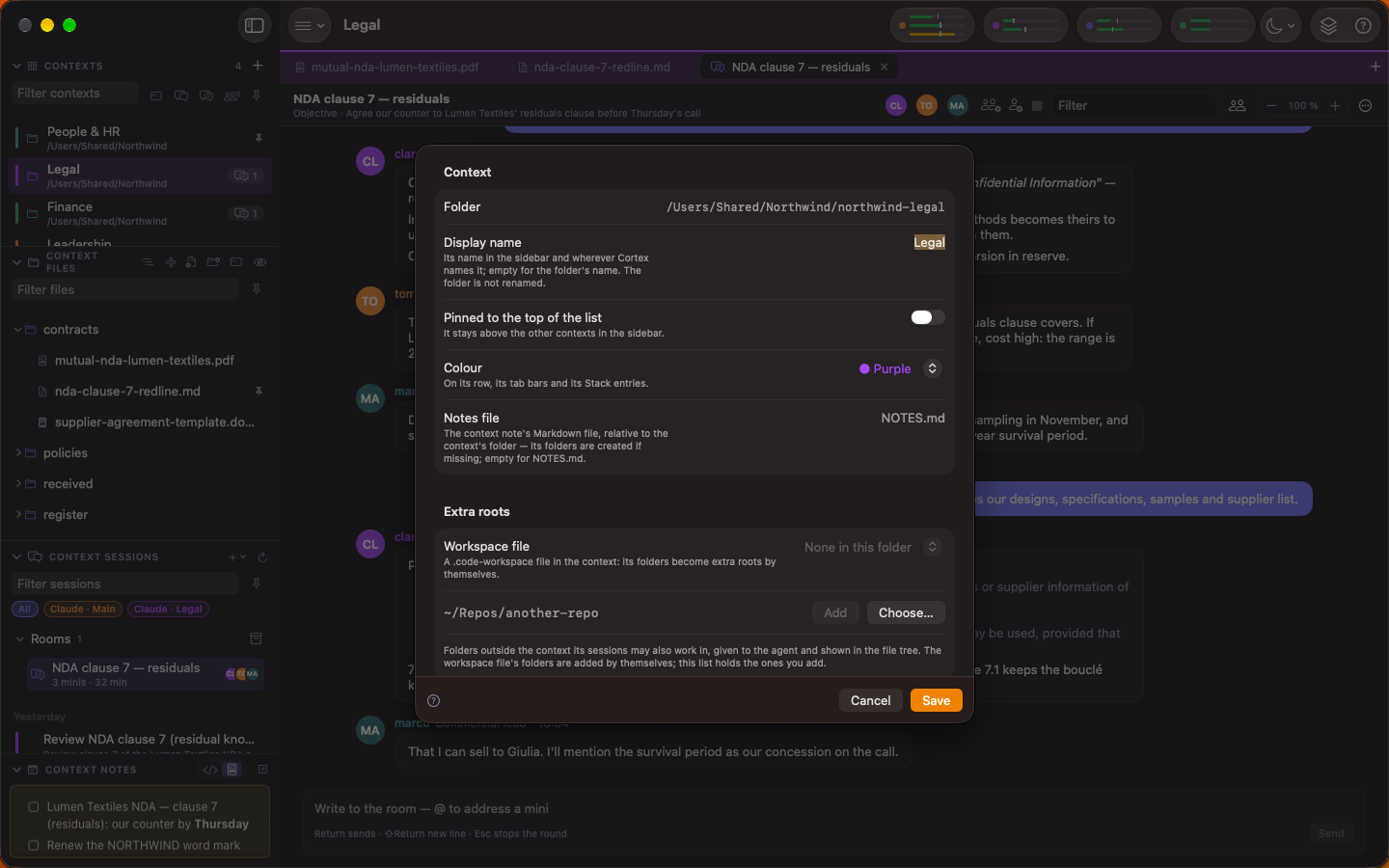
What is in it
| Section | Setting | What it does |
|---|---|---|
| Context | Display name | The name shown in the sidebar. Empty means the folder's name. The folder is not renamed |
| Pinned to the top of the list | Keeps it above the other contexts. See Pins and colours | |
| Colour | Shown on its row, tab bars and Stack entries. See Pins and colours | |
| Notes file | The Markdown file the context note uses. Empty means NOTES.md. See Context notes and memory |
|
| Extra roots | Workspace file, and a list of folders | Other folders its sessions may also work in. See Extra roots |
| Account | New sessions run on | The context's default account. See Choose which account a session runs on |
| Isolation | Deny other contexts' transcripts | Its agents cannot read the transcripts of your other contexts' sessions. On by default. Applies to sessions started after the change |
| Pass the SSH agent | Lets git over SSH authenticate through your SSH agent, while your keys stay closed to the agent. Off by default. Applies to sessions started after the change | |
| Notifications for this context | Off, its sessions never notify, whatever Settings → Notifications says. See Notifications and the Waiting sheet | |
| Sandbox folders | A list of folders | Extra folders its sessions may read and write when they run in the OS sandbox. See Turn on the OS sandbox |
| Cortex tools | Conductor | Lets its sessions start, read, wait for and end sessions in its extra roots. You are asked every time a session would start |
| Vector store | Its collections | What the context's sessions have indexed. See A private memory per context |
How the isolation switches work, and what they do not stop, is explained in How sessions are kept to their context. The defaults for contexts that Cortex sees for the first time are in Settings → Isolation.
The vector store
The last section lists the collections the context's sessions have made, with their documents, chunks, size and date. It also offers Show in Finder, Delete… for one collection and Delete the Whole Store…. Deleting asks first and cannot be undone.
Something wrong or missing? Tell us