 Cortex
Notifications and the Waiting sheet
Be told when a session out of view needs you, and answer everything that waits in one sheet.
You do not have to watch every session. Cortex tells you when one needs you, and it gives you one place to answer everything that waits.
Notifications
A session that is not in front, meaning its tab is not shown in the selected context or Cortex is not the active app, sends a macOS notification when it:
- needs permission, because it is asking before it acts, or
- is waiting for you, because it has finished its turn.
Cortex never notifies about the tab you are looking at.
What the notification says:
- The title is the context and the session's title.
- The body is the agent's last line, or the permission it is asking for, or "Stopped — rate limit".
- A sound plays for a permission request only.
Each session has at most one notification at a time, and a newer state replaces it. A permission prompt notifies once, even though the agent reports it twice. Click a notification to bring Cortex forward and focus the tab. Focusing the tab by any other means withdraws the notification.
Beyond sessions, Cortex also notifies when a meeting's call ends while Cortex is not the active app, when a usage meter turns critical (Read the usage meters), and when a task has a question for you.
Choose what notifies
Open Settings → Notifications.
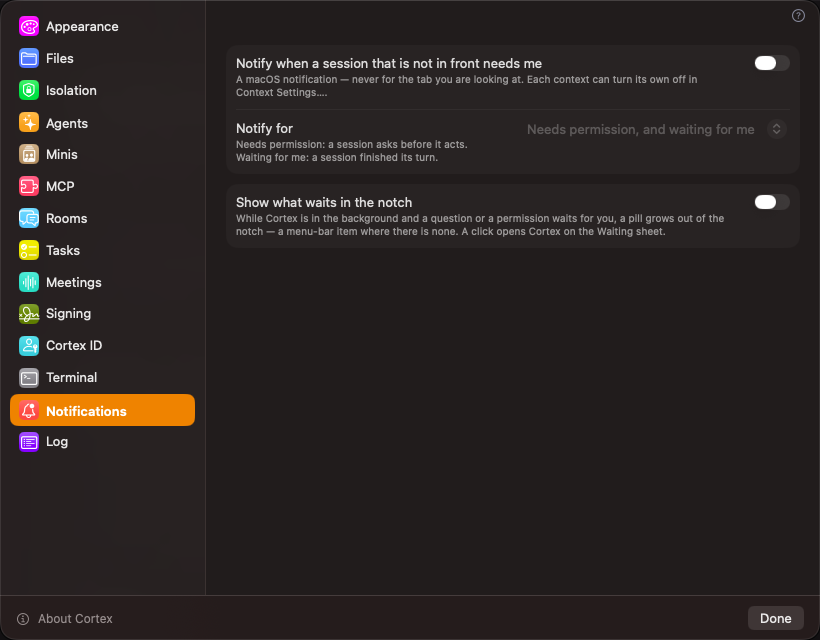
- Notify when a session that is not in front needs me turns session notifications on or off.
- Notify for is Needs permission only or Needs permission, and waiting for me.
- Show what waits in the notch is off by default. See below.
A single context can switch its own notifications off in Context Settings, whatever this pane says.
The first time a notification is due, macOS asks for permission. The welcome tour can ask earlier. If you have refused, turn Cortex's notifications on again in System Settings. See macOS asks for permission.
The Waiting sheet
Some things wait for an answer that is not a session's terminal: a form an agent shows you, a task's permission request, a mini asking before it acts in a room, or a Cortex Agent chat's permission card. Cortex gathers them in one place.
A Waiting button appears in the middle of the toolbar while at least one thing waits, for example "3 waiting". It is gone otherwise. Its tooltip names the oldest.
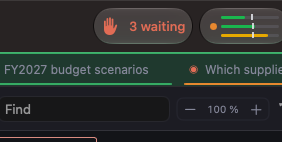
Open the sheet in any of these ways:
- Click the button.
- Press ⌘⌥J.
- Choose View → Answer Waiting…
Nothing opens it by itself. An agent never takes the window from you.
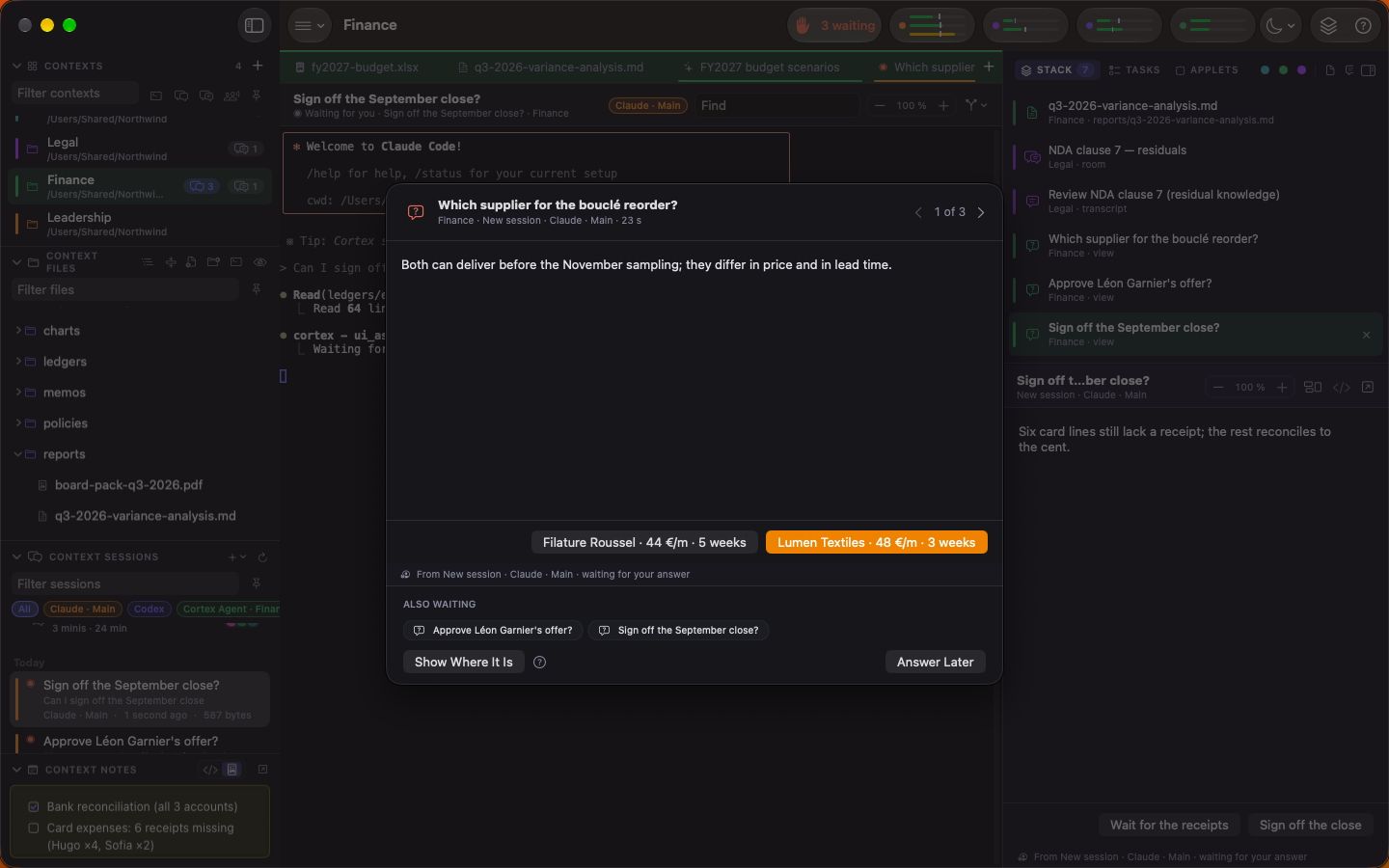
The sheet shows one item at a time, oldest first, with its source at the top and "1 of 3" with arrows to step. Answer in place:
- A view is answered with its own buttons.
- A permission request shows what it would run, in full, and offers Deny, an allowance for the run or the session, and Allow Once.
Under the item, Also waiting lists the others. A click shows that one. Show Where It Is closes the sheet and brings the item's home forward, which may be a Stack entry, a session or a room. Answer Later, or Esc, closes the sheet and leaves everything waiting. Esc never answers.
An item you answer in the sheet is answered where it was put, and the other way round.
A session's own permission prompt, in its terminal, is not listed here. It shows ◉ on its tab, and you answer it in the terminal. See Which session needs you.
In the notch
With Show what waits in the notch on, a black pill grows out of the notch while Cortex is in the background and something waits. It shows a raised hand and the count. Hover it for a card with the oldest item. A click brings Cortex forward on the Waiting sheet. On a Mac with no notch, a menu-bar item takes its place, listing what waits. It never takes the keyboard or the focus.
Something wrong or missing? Tell us