 Cortex
Which session needs you
On this page
The glyphs on tabs and rows, the status line, and what an ended session offers.
When several sessions run at once, you need to see which one is waiting for you without opening each. Cortex marks every live session with a small glyph, on its tab and on its row in the session list.
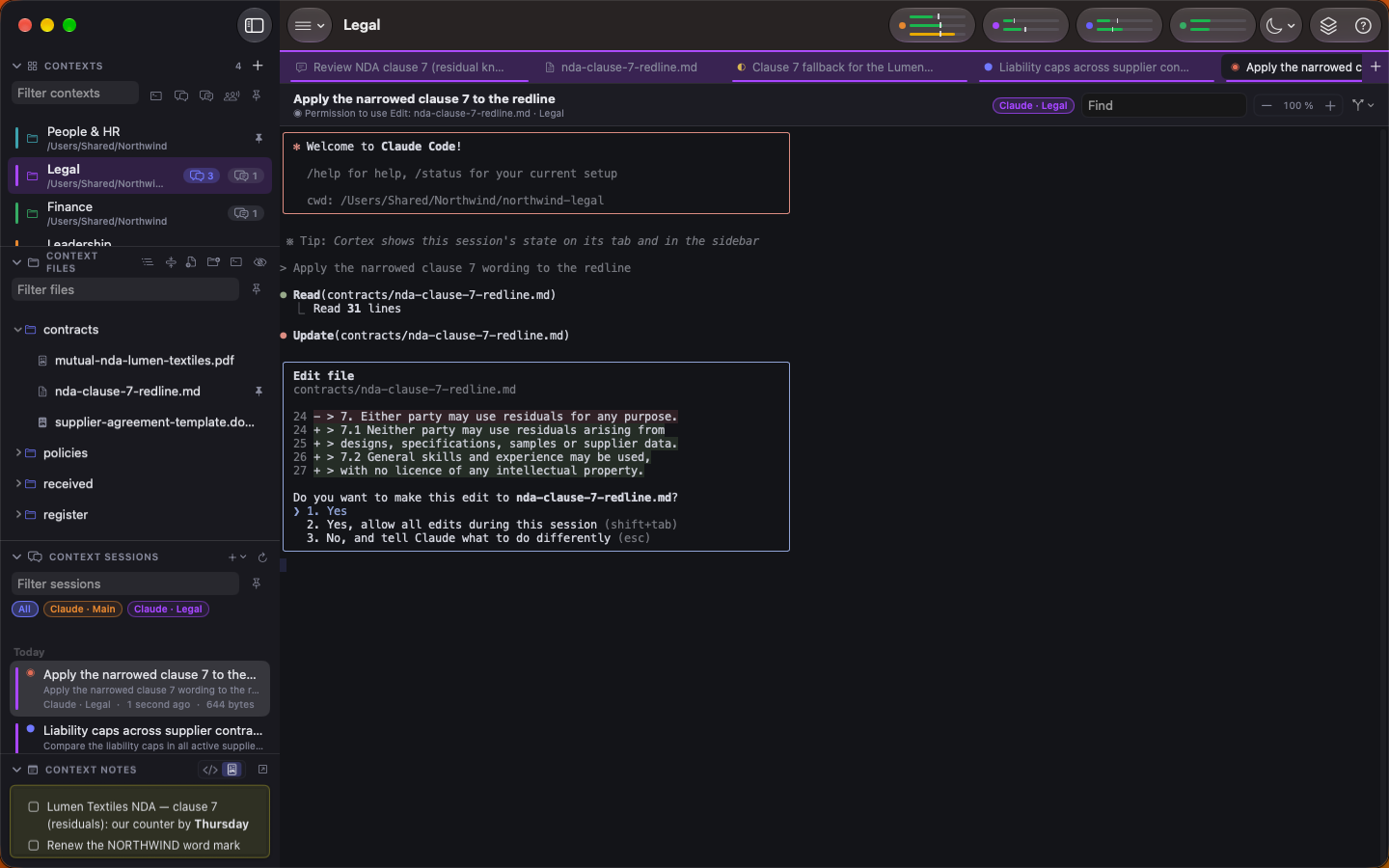
The glyphs
| Glyph | State | What it means |
|---|---|---|
| ○ | Starting | The agent is starting up |
| ● | Running | The agent is working |
| ◐ | Waiting for me | The agent has finished its turn and is waiting for your next prompt |
| ◉ | Needs permission | The agent is asking before it acts, for example to run a command or edit a file |
| ✕ | Exited | The agent's process has ended |
Where several sessions are folded away in a collapsed group, the group shows the most pressing state among them, ◉ before ◐ before ●. See Tabs and splits.
A context's row in the sidebar counts its running sessions, so you can tell from the list which contexts have something going. See Switch between contexts.
What each line says
- The subtitle of a live session's header says since when it has been in this state. It quotes the agent's last line, or the permission it asks for.
- The status line. An agent can set a one-line status for its own session. While it has one, the session's row shows that line instead of your first prompt, in the state's colour, and the header leads with it.
- Ending… The header says this for about a second and a half while the agent shuts down, before its process exits.
Answering a permission request
A ◉ session is asking in its terminal. Answer there. A key you type or paste into the terminal while it shows ◉ is taken as your answer, and the glyph changes to ◐ until the agent reports something new. For a way to answer everything that waits from one place, see Notifications and the Waiting sheet.
When the session ends
When the agent exits, the terminal stays on screen with its last output, and the header says Session ended, with three icon buttons:
- Transcript turns the tab into the read-only view of the session. See Read a past session.
- Resume starts the session again. See Resume or fork a session.
- Close closes the tab.
How Cortex knows
For Claude Code, Cortex learns the state from the agent's hooks, a small signal the agent sends when it starts, stops or asks. Codex has no hooks in Cortex, so Cortex reads the session's own record instead, and the glyphs mean the same. If you turn the hooks switch off in Settings → Agents, a Claude Code session shows ● while it runs and ✕ after, and nothing in between. See Install and sign in to Claude Code.
Something wrong or missing? Tell us