 Cortex
What tasks are
Work you give agents and leave to run: objective, minis, schedule and a report at the end.
A task is work you give to an agent and leave to run. You write what you want done, say who should do it and when, and Cortex runs it in the background. When it finishes you get a report. You do not need a terminal tab open, and you can close the window it came from.
Typical tasks are a Monday-morning pass over supplier invoices, a nightly reconciliation of expenses, or a one-off clean-up of a folder.
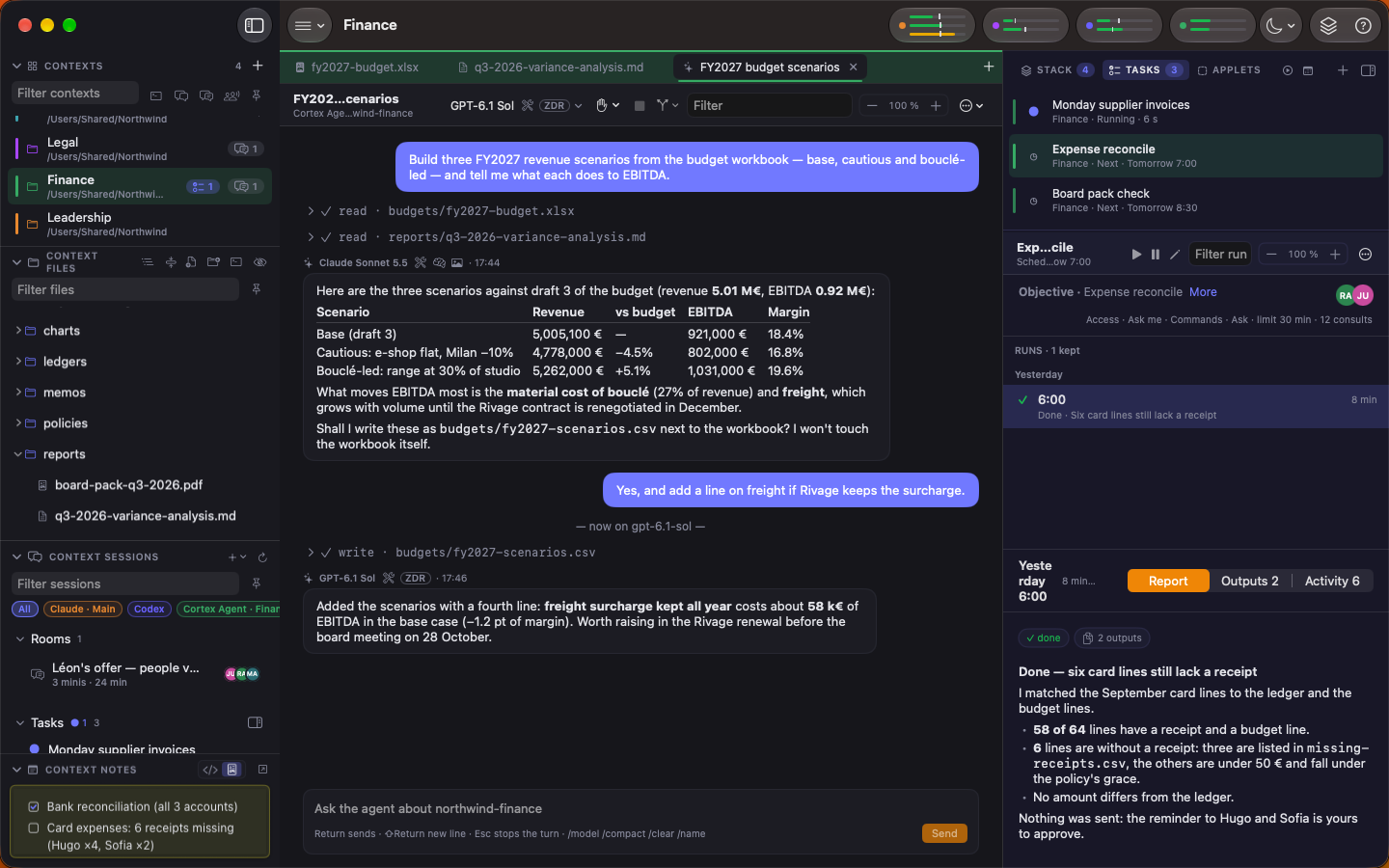
The parts of a task
| Part | What it is |
|---|---|
| Objective | What you want done and what "done" means, in your own words. |
| Context | The context the task works in. Its runs are sessions of that context. |
| Worker | The first mini of the task, called the lead, or, if the task has no minis, the context's default account. |
| Other minis | Experts the lead may consult. The lead does the work. |
| Attachments | Files given to the task, read-only. |
| Schedule | Now, once at a time, or repeating. See Schedule a task. |
| Access and commands | What the worker may touch. See Create a task. |
Tasks and runs
A run is one execution of a task. A repeating task has many runs, each with its own report, and a one-off task has one. A run works as a headless session of its context with that context's isolation. It never opens a terminal. What it writes into the context is only the work you asked for, and Cortex keeps its own records of the task and its runs in its own data.
A run ends with a report: Markdown written by the worker, with an outcome of done, partial or blocked. See Answer a task and read its report.
Statuses
Each run has a status, shown with a glyph on its row.
| Status | Meaning |
|---|---|
| Running | The worker is working. |
| Waiting for you | A question or a permission ask is open. |
| Done | It reported, outcome done. |
| Partial | It reported partial, or stopped after a report. |
| Blocked | It reported that it could not go on without you. |
| Failed | It ended without a report or its engine failed. |
| Stopped | You stopped it. |
| Timed out | It ran past its time limit without a report. |
| Skipped, missed | A scheduled run that did not happen. These are lines in the list, not runs. |
A task as a whole shows its latest state, or scheduled, paused, draft or archived. A draft has never run.
Where tasks are
Tasks live in the side panel on the right, in the Tasks view next to the Stack. Press ⌘⌥K to show the panel on Tasks, and again to hide it. In the sidebar, the Tasks row of the context lists its tasks with a line such as "Running · 4 min" or "Next · Tomorrow 07:00". See Manage your tasks.
Share it
You can send a task to other people as a read-only package: its objective, its minis and the runs you choose, each with its report and the files it left. Open the Tasks view, right-click the task and choose Share…. You need a Cortex ID. Send it to email addresses, whether or not the people have Cortex, or as a public link anyone can open. See Share a session, room, meeting or task and Sharing, in short.
To make one, go to Create a task or a quick task.
Something wrong or missing? Tell us