 Cortex
Answer a task and read its report
Questions arrive as views and permission cards; a run ends with a report and files in @outputs.
A task has no terminal, so when it needs something from you, it asks through Cortex. When it finishes, it leaves a report.
When a task needs you
A run asks in two ways:
- A question. The worker shows a form, a choice or a table and waits for your answer while it keeps working on whatever does not depend on it. See Views an agent puts in front of you.
- A permission ask. The worker is about to do something your task's Access or Commands setting says to ask about. A card shows "<task> wants to run Bash" with the full input.
The run then shows as waiting for you, with a ◉ on its row. The toolbar's Waiting button counts it, and a notification arrives while Cortex is in the background: "<context> · <task> needs you". Answer from any context in the Waiting sheet (⌘⌥J), or from the run's Activity part in the task view.
For a permission card, choose Allow Once, Allow <tool> for This Run or Deny. No button is the default, so a stray Return never allows anything.
A run's time limit does not run while it waits. A scheduled run's question waits at most the Unattended wait in Settings → Tasks, 15 minutes by default. After that the worker goes on without the answer and says so in its report. A permission ask that waits that long is denied.
Read the report
Select a task in the Tasks view. The runs are listed on the left, newest first, each with its status glyph, start time, duration, outcome and the first line of its report. Select a run to read it. Three parts switch with a control:
- Report. The worker's Markdown, with its outcome as a badge: done, partial or blocked. While the run is going you see its live progress.
- Outputs. The files the run produced. The ones the report names come first, marked with a star, then every other file it created or changed. Click a file to open it as a tab.
- Activity. A log of the run: when and why it started, each tool it used and how long it took, each consult, each question and how it ended, and any failure. It never records the input of a tool. Open questions and asks appear here as cards you can answer.
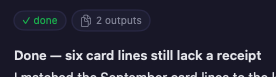
Each run's files land in the context in a folder of their own, @outputs/<start>-<title>/, and in the task's output folder if it has one. They are ordinary context files from then on.
Continue a run as a session
Once a run has ended, Continue in Session resumes the worker's own session as a live session of the context, in a new tab with everything the run said and did. You can then talk to it like any session. After that the button reads Open Session. The resumed session is an ordinary one, with the context's access rather than the task's.
A run's menu
A run's menu has Pin (keep it beyond the number of runs a task keeps), Reveal Run Folder, Export as Markdown… and Delete…, which asks first.
Something wrong or missing? Tell us