 Cortex
Settings at a glance
On this page
Every pane and what it holds, linking to the article that explains it.
Settings holds the choices that apply to the whole app. Press ⌘, to open it. It is a sheet over the main window, laid out like System Settings: a sidebar of panes on the left, the chosen pane's form on the right, About Cortex at the bottom left and Done at the bottom right.
While it is open, the window behind it waits. Choose Done, or press Esc or ⌘W, to close it. Settings reopens on the pane you last used. Every setting has a line under its name saying what it changes and when it applies, so you can usually understand a setting without leaving it.
The panes
The sidebar lists the panes in the order of how often they are needed.
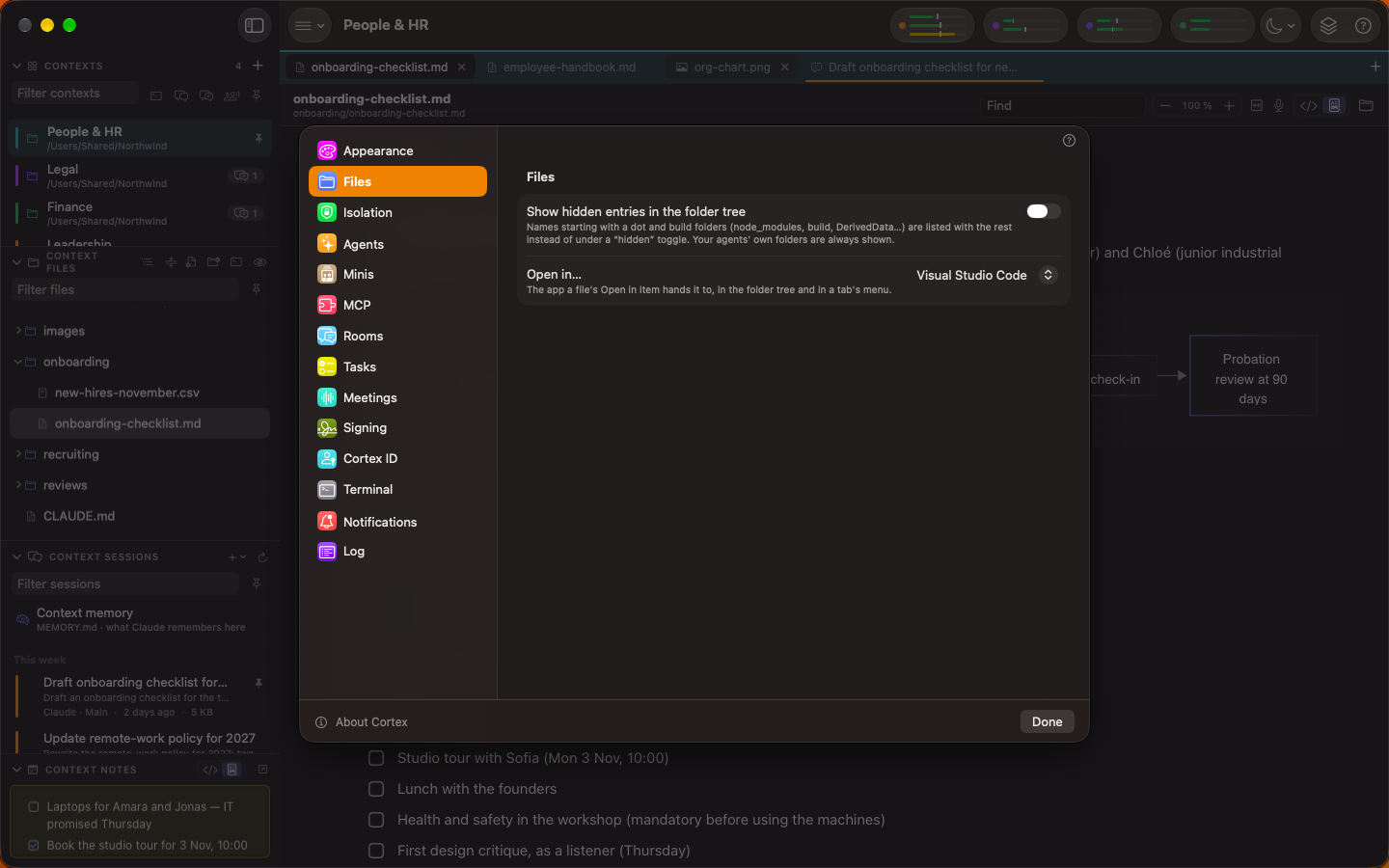
| Pane | What it holds | Read more |
|---|---|---|
| Appearance | Theme, font sizes, how Markdown and HTML open, page width, web links, Clear Website Data…, the splash screen, language. | Appearance and Terminal settings |
| Files | Whether hidden entries show in the file tree; the app Open in… uses. The list of contexts is not here: you manage it in the sidebar. | The file tree, Add your contexts |
| Isolation | Defaults for new contexts, the OS sandbox switch and its folders. | How sessions are kept to their context, Turn on the OS sandbox |
| Agents | The local agents (Cortex Agent, Claude Code, Codex): their versions, install guides and path overrides, and your accounts, with sign-in, colour, folder and usage switches. | Which agents Cortex works with, Use several accounts of one agent, The Cortex Agent |
| Minis | The minis library at a glance, defaults for new minis, and the switches for minis that learn. | What minis are |
| MCP | Whether Cortex's tools are offered to sessions, where views may appear, and which tools agents may use without asking. | What the Cortex tools give your agents |
| Rooms | The limits every room falls back on: how many messages and rounds the minis get after one of yours, the turn timeout, and whether new members join with the history. | Decide who answers |
| Tasks | Pausing every task, concurrent runs, the defaults for new tasks and the next runs. | What tasks are |
| Meetings | Language, microphone, the exports folder, the refine pass and the speech models. | Meetings settings and permissions |
| Signing | The defaults of the signing sheet, your hand signatures, the Sign as profile of each verified email, and this Mac's signing key and certificate. | Signing, in short, Hand signatures, Sign-as profiles |
| Cortex ID | Your plan, your email addresses, devices and passkeys, your key, the connection's status, the Terms you accepted, and Download My Data…. | What a Cortex ID is |
| Terminal | Font, size, scrollback, Option as Meta, bell. | Appearance and Terminal settings |
| Notifications | Whether sessions notify you and for which states, and the notch. | Notifications and the Waiting sheet |
| Log | What the app did, with Copy and Clear. | The Log and About |
About Cortex, the button at the foot of the sheet, is not a pane. Cortex → About Cortex in the menu bar opens the same view. See The Log and About.
The list of every signature you made is not a pane. It is Signatures… in the ≡ workspace menu at the left of the toolbar. See Your signatures.
Keyboard shortcuts
All of the app's shortcuts, including the one that opens Settings, are in Keyboard shortcuts.
Something wrong or missing? Tell us