 Cortex
Appearance and Terminal settings
On this page
Theme, font sizes, how Markdown and HTML open, page width, terminal font and scrollback.
Two Settings panes shape how Cortex looks and how your terminals behave. Both apply at once, and each setting has a line under its name saying what it does.
Appearance
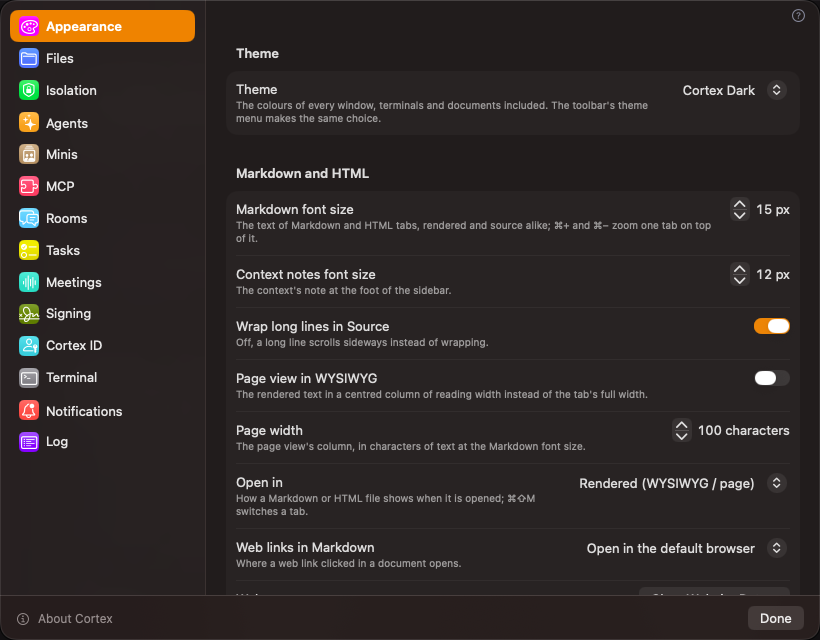
Theme. Pick one of the six themes. The toolbar's theme menu makes the same choice. See Themes, zoom and what comes back.
Markdown and HTML.
| Setting | What it does |
|---|---|
| Markdown font size | The text of Markdown and HTML tabs, rendered and Source alike, from 11 to 24 px, 15 by default. Zooming a tab with ⌘+ and ⌘− works on top of it. |
| Context notes font size | The note at the foot of the sidebar, from 10 to 20 px, 12 by default. |
| Wrap long lines in Source | Off, long lines scroll sideways. |
| Page view in WYSIWYG | Shows the rendered text in a centred column of reading width. |
| Page width | That column's width in characters, from 60 to 200 in steps of 10, 100 by default. |
| Open in | Whether a Markdown or HTML file opens Rendered or in Source. ⌘⇧M switches one tab. |
| Web links in Markdown | A web link you click in a document opens in the default browser, or as a web tab. |
| Clear Website Data… | Removes the cookies, storage and cache of every web tab. You are signed out of every site, and Cortex asks first. |
App. Show the splash screen at launch turns the logo shown while the workspace loads on or off. Language is English for now.
How these affect editing is in Edit Markdown; how web links behave is in Web pages as tabs.
Terminal
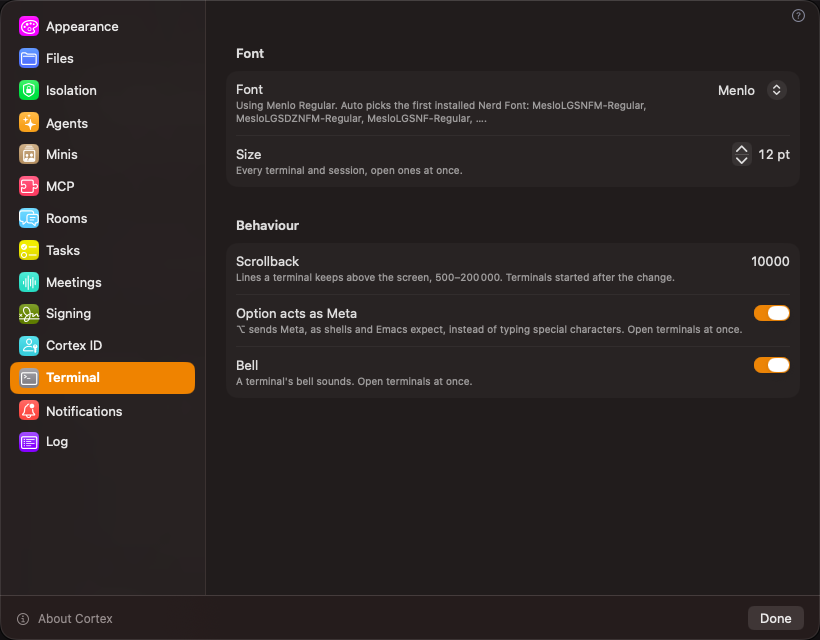
These settings apply to every terminal and live session.
- Font. A menu: Auto, the Nerd Fonts installed on your Mac, then the other monospaced families. Auto picks the first installed Nerd Font, with MesloLGS first, and falls back to SF Mono when there is none. Prompt themes such as Powerlevel10k draw their icons from Nerd Fonts, so without one those icons show as "?" boxes. A font you choose gets an installed Nerd Font as a fallback for the regular face. The font and size apply to open terminals at once.
- Size. The terminal's font size, for open terminals at once.
- Scrollback. How many lines a terminal keeps above the screen, from 500 to 200,000. It applies to terminals you start after the change; a larger number is brought down to the maximum.
- Option acts as Meta. Sends ⌥ as Meta, as shells and Emacs expect, instead of typing special characters. It applies at once.
- Bell. Whether a terminal's bell sounds. It applies at once.
Terminal colours come from your theme. See Terminal tabs.
Something wrong or missing? Tell us